
Centrend

Author name: zoe@centrend.com

AI Should Remove Work, Not Add Confusion illustration showing a stressed worker surrounded by too many tools and tasks beside a calmer workflow supported by an AI assistant.

AI Should Remove Work, Not Add Confusion

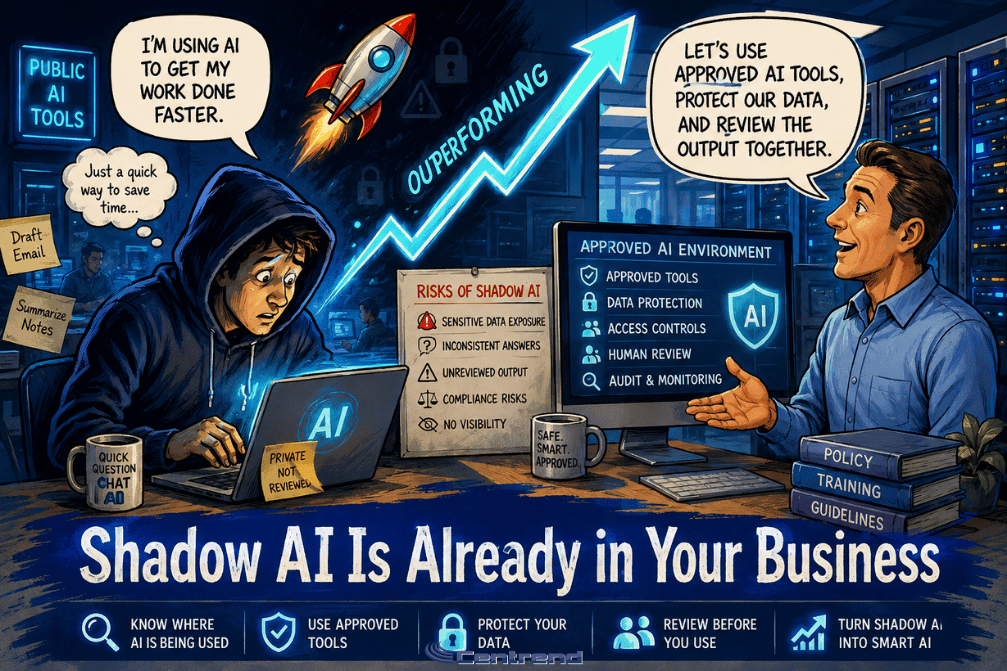
AI Should Remove work that slows your team down, not create another layer of tasks, tools, and confusion. Many businesses are interested in AI because they want faster work, better organization, and less manual effort. But when AI is added without a clear purpose, it can create the opposite result. Extra tools.More questions.Added review.More confusion. That is not the goal. The goal is to make work simpler. Why this matters AI should help your team spend less time on repetitive work and more time on decisions, customers, and growth. But if every employee uses a different tool, follows a different process, or trusts AI output without review, the business can quickly lose control of the workflow. What was meant to save time can become another problem to manage. Where confusion starts AI can create confusion when businesses do not define how it should be used. Common issues include: • Employees using different AI tools without guidance• Sensitive information being entered into public platforms• AI-generated content being used without review• Teams getting inconsistent answers from different tools• Extra time spent fixing unclear or inaccurate output When this happens, AI does not remove work. It adds more of it. What smarter AI use looks like AI works best when it supports a clear process. That means your business should know: • What tasks AI can help with• What information should never be entered• Which tools are approved• Who reviews the final output• How AI should fit into daily workflows The simpler the process, the easier it is for your team to use AI safely and consistently. Start with the work that repeats The best place to start is not the most complicated task. Start with work your team repeats often. That may include: • Drafting emails• Summarizing meetings• Organizing notes• Creating report outlines• Building checklists• Researching basic topics• Preparing internal updates These are good starting points because AI can help create structure, save time, and reduce blank-page work. Your team still reviews the final result, but they do not have to start from zero. Keep people in control AI should not become the final decision-maker. It should support people who already understand the business, the customer, and the context. Human review matters because your team still needs to check accuracy, tone, privacy, and business fit. AI can create the draft. People make it right. Make AI fit your business AI should not force your team into a workflow that does not match how your business operates. It should fit your process, your brand voice, your customer standards, and your internal rules. That is where the real value starts. Not just using AI. Using AI in a way that actually supports how your business works. The bottom line AI should remove work, not add confusion. Used well, it can help your team save time, organize information, and work with more clarity. Used without a plan, it can create risk, inconsistency, and extra review work. The smart approach is simple: Start with clear use cases.Set rules for your team.Protect sensitive data.Review important outputs.Make AI fit the way your business works. That is how AI becomes useful, not overwhelming. Make AI work the way your business works. Centrend can help your business find practical ways to use AI, reduce confusion, and build safer workflows that support your team. Talk to Centrend About Practical AI Use

AI Should Remove Work, Not Add Confusion Read More »

Smart AI Needs Human Guardrails illustration showing the evolution from early humans to a modern worker and a robot in a blue-toned IT office with servers and human oversight.

Smart AI Needs Human Guardrails

Smart AI use starts with one simple rule: it should not run without human guardrails. Businesses are using it to draft emails, summarize notes, organize ideas, support customer communication, and speed up daily work. That can save time, but it also creates one important question: Who is checking what it produces? Without clear rules, teams can accidentally expose sensitive information, trust incorrect answers, or use content that does not match the company’s standards. That is where risk begins. Why this matters AI can sound confident even when it is wrong. A polished answer is not always accurate. A fast draft is not always safe. A helpful summary may still miss important details. For businesses, this matters because one careless use can affect customers, internal decisions, data privacy, and trust. The goal is not to avoid AI. The goal is to use it with security, accuracy, and human review. 1. Protect sensitive data Not everything belongs in an AI tool. Teams should avoid entering customer information, passwords, financial details, private company documents, HR information, legal content, or anything confidential. A simple rule helps: If it should not be public, do not paste it into a public tool. 2. Check every important answer AI-generated content should never be accepted automatically. It can be incomplete, outdated, or simply wrong. Before using the output, your team should check facts, confirm details, and review anything that could affect a customer, project, report, or business decision. Fast is helpful. Correct is essential. 3. Keep people in control AI should support your team, not replace judgment. People still need to decide what is accurate, appropriate, useful, and aligned with the business. This matters most for customer replies, marketing content, reports, policies, and anything connected to your reputation. Human review is not extra work. It is the safety step. 4. Set clear rules for the team A safer AI process should be simple enough for everyone to follow. Your business should define: What AI can be used forWhat information should never be enteredWhich tools are approvedWho reviews the final outputWhen approval is required Clear rules reduce confusion and help teams use AI more consistently. 5. Make AI fit your business AI works better when it is built around your actual workflow. That means it should support your brand voice, customer response process, internal standards, and team responsibilities. The real value is not just using AI. The real value is using it in a way that fits how your business works. The bottom line AI can help businesses move faster. But speed without control creates risk. The smart approach is simple: Protect sensitive data.Check the output.Keep people involved.Set clear rules.Use approved tools. With the right guardrails, AI can help your team work with more confidence, better accuracy, and stronger protection. Use AI with confidence, not guesswork. Centrend can help your business create safer AI workflows, protect sensitive information, and build smarter technology processes that support the way your team works. Talk to Centrend About Safer AI Use

Smart AI Needs Human Guardrails Read More »

5 Ways AI Can Simplify Daily Work in a modern IT office scene showing two team members and a robot assistant collaborating beside servers and digital screens.

5 Ways AI Can Simplify Daily Work

5 Ways AI can simplify daily work starts with one clear idea: it does not need to replace your team. Used the right way, it can help people work faster, think more clearly, and spend less time on repetitive tasks. The problem is that many businesses either avoid it completely or use it without a clear process. That is where work can get messy. The goal is simple: use AI to support your team, not complicate their day. Why it matters Teams lose time every week on routine work. Emails. Meeting notes. Reports. Research. Planning. Follow-ups. AI can help create a stronger starting point, but it should not become the final decision-maker. Human review still matters, especially when the work involves customers, data, business decisions, or brand voice. 1. Draft emails faster AI can help create first drafts for customer replies, internal updates, and follow-up messages. This saves time, but the final message should always be reviewed for tone, accuracy, and details. 2. Summarize meetings Long notes can be turned into clear summaries, action items, and next steps. This helps teams stay aligned without rereading every detail. 3. Build reports AI can help organize updates, create outlines, and turn rough notes into a cleaner report format. Your team still needs to check the numbers, facts, and final message. 4. Organize ideas A blank page slows people down. AI can help turn scattered thoughts into checklists, project steps, talking points, or content ideas. 5. Speed up research AI can help gather starting points, compare topics, and organize research into useful sections. But important facts should always be checked against trusted sources before they are used. The bottom line AI should make work easier, not more confusing. The best use is not replacing people. It is helping your team save time, organize information, and move faster while keeping human judgment in place. Start small. Set clear rules. Review the output. That is how businesses can use AI without overcomplicating work. Make AI useful, not overwhelming. Centrend can help your business find practical ways to use AI, improve daily workflows, and support your team with safer, smarter technology. Talk to Centrend About Practical AI Usehttps://centrend.com/contact/

5 Ways AI Can Simplify Daily Work Read More »

AI is here in a modern IT office scene showing a team exploring how AI can impact business workflows, planning, and technology strategy.

AI Is Here. Is Your Business Ready?

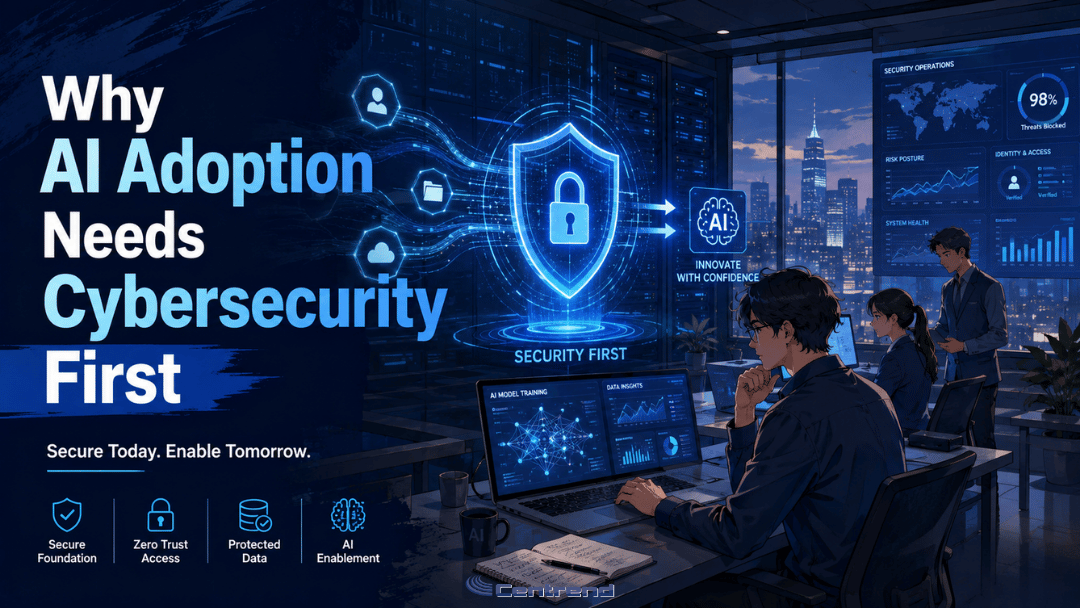
AI is here, and it is no longer something only big companies use. This technology is already showing up in daily work. Employees use it to write emails, summarize notes, research topics, create reports, organize ideas, and speed up customer responses. The real question is not whether your business will use it. The real question is whether your team is using it safely, clearly, and with the right process. Why it matters AI can save time. It can help your team move faster, reduce repetitive work, and make daily tasks easier. But without clear guidelines, it can also create problems. Employees may paste sensitive company information into public tools. They may rely on answers that are not fully accurate. They may send generated content without checking the tone, facts, or privacy risks. That is where businesses need to be careful. This technology is useful, but it still needs human review. Where it can help right now For many small and mid-sized businesses, AI can support simple daily work such as: Writing and editingIt can help draft emails, improve wording, create outlines, and turn rough ideas into clearer messages. Research and summariesIt can help organize information, summarize long notes, and give teams a faster starting point. Customer service supportIt can help draft replies, organize common questions, and support faster response times. Planning and admin workIt can help create checklists, meeting agendas, task summaries, and internal process notes. Marketing and content ideasIt can help brainstorm topics, create first drafts, and adjust content for different platforms. The value is not in replacing your team. The value is helping your team spend less time staring at a blank page and more time making good decisions. The risk of using AI without rules AI can sound confident even when it is wrong. That matters. A polished answer is not always an accurate answer. A fast draft is not always safe to send. A helpful summary may still miss important details. Businesses should be careful with: Sensitive customer dataCompany passwords or private documentsFinancial informationLegal or HR-related contentClient recordsUnverified factsCustomer-facing messages AI should support the work, not become the final decision-maker. The smarter way to use it Businesses do not need to avoid AI. They need a safe and simple approach. That means setting clear rules for what employees can and cannot enter into these tools. It also means reviewing generated content before it is used, especially for customer communication, business decisions, or anything involving sensitive information. A good process should answer three basic questions: What can our team use this for?What information should never be entered into these tools?Who reviews the final output before it is shared? When those rules are clear, AI becomes much more useful and much less risky. The bottom line This technology is already becoming part of everyday business. Used well, it can help your team work faster, write better, organize information, and reduce wasted time. Used carelessly, it can create confusion, privacy issues, and inaccurate work. The best approach is not to ignore it or rush into it without a plan. The best approach is to use AI with clear guidelines, human review, and the right technology support. At Centrend, we help businesses use technology in a practical, secure, and manageable way. If your team is starting to explore smarter tools, now is the time to make sure they are being used the right way. Make AI work the way your business works. Centrend can help you customize and implement AI tools that fit your brand, support your team, and improve daily operations. Talk to Centrend or Schedule an AI Implementation Consultation

AI Is Here. Is Your Business Ready? Read More »

Public Wi-Fi Still Puts Businesses at Risk

Public Wi-Fi feels convenient, fast, and harmless. But for businesses, it can quietly open the door to stolen data, compromised accounts, and costly security issues that are easy to overlook until the damage is already done. Why this matters Your team does not need to be in the office to put the business at risk. A quick login from an airport, hotel, coffee shop, or shared workspace can expose sensitive information if the connection is not secure. What looks like a simple way to get work done can become an easy path for cybercriminals to intercept data, mimic trusted networks, or target employee logins. The problem Public Wi-Fi is often used without a second thought. Employees connect to check email, access files, log into business apps, or handle customer information while traveling or working remotely. The problem is that public networks are not built with your business security in mind. Some networks are poorly secured. Others are fake hotspots designed to look legitimate. In both cases, your business data can be left exposed. What is at risk A risky public connection can lead to: One weak connection can create a much bigger problem than most businesses expect. Why businesses should take this seriously Cybersecurity issues do not always start with a major system failure. Sometimes they start with one employee connecting to the wrong network for a few minutes. That is what makes public Wi-Fi risky. It feels routine. It feels small. But small habits can create big openings. For a business, that can mean downtime, recovery costs, damaged trust, and avoidable stress for both leadership and staff. What businesses should do instead The good news is this risk is manageable. Businesses can reduce exposure by putting a few practical safeguards in place: These steps are simple, but they make a real difference. The bottom line Public Wi-Fi is convenient, but convenience should never come before protection. If your team works from airports, hotels, coffee shops, client sites, or anywhere outside the office, this is not just an employee habit issue. It is a business security issue. The safer approach is not to rely on public networks as if they are trustworthy. It is to assume risk is there and prepare for it before it becomes a problem. Final thought Strong cybersecurity is not only about stopping major attacks. It is also about closing the small gaps that attackers count on. Public Wi-Fi is one of those gaps. And for businesses that want to protect operations, data, and trust, it is a risk worth taking seriously. Need help securing your business? Book a consultation or contact us to talk through safer remote access and cybersecurity support.

Public Wi-Fi Still Puts Businesses at Risk Read More »

Two businessmen in a modern IT office, humorously discussing an outdated disaster recovery plan with glowing server racks and city views in the background.

Business Continuity: Beyond Traditional Backup Solutions

Business Continuity isn’t just about backing up your data anymore. In a world of constant cyber threats and unexpected disruptions, it’s about ensuring your business keeps operating, no matter what. Backup solutions alone can no longer guarantee protection. Today, your business needs a comprehensive resilience strategy that goes beyond recovery to ensure uninterrupted operations. Why It Matters:When systems fail, downtime isn’t just a minor inconvenience. It costs you customer trust, brand reputation, and profits. Relying on traditional backups is like putting all your eggs in one basket—leaving your business exposed. The New Standard:Modern continuity requires more than backup. You need: The Outcome:With the right resilience strategy, your business doesn’t just survive a disruption—it thrives, staying secure, efficient, and operational no matter the challenge. Get Ahead:Don’t wait for the next crisis. Move beyond backup. Invest in a strategy that keeps your business always on and disaster-ready. Ready to strengthen your business continuity plan? Book a consultation today or Contact us for more information on how we can help you implement resilient solutions tailored to your needs.

Business Continuity: Beyond Traditional Backup Solutions Read More »

Anime-style illustration of a modern IT office under a computer virus attack, with employees working at computers while virus icons spread across systems.

What a Virus Can Cost Your Business

Why it matters What a virus in a single computer can quietly cost your business… The problem Most businesses think a virus is just a small IT issue.Something that slows down a computer. Maybe something antivirus can handle. But that’s not how it works today. Viruses are no longer just annoying.They are built to spread, steal, and disrupt entire systems. The impact Here’s what one virus can actually cost your business: The agitation The hardest part? Most businesses don’t notice the damage right away. A virus can sit quietly: By the time it’s visible, the impact is already bigger than expected. The big picture This is no longer just about “having antivirus.” Modern threats are designed to: That’s why even careful teams still get hit. What to do Simple steps that make a real difference: Bottom line A computer virus is not just an IT issue.It’s a business risk. The cost is not just technical.It affects your time, your revenue, and your operations. The businesses that stay protected are the ones that prepare before it happens. If you want to strengthen your systems before small issues become costly problems, Contact Us or Book a Time to talk.

What a Virus Can Cost Your Business Read More »

Anime-style blog image showing a modern IT office with glowing server racks, a worker at a computer with a weak password note, a coworker holding coffee, and a dog chained to the desk under the title “Why Physical Security Is a Cybersecurity Issue.”

Why Physical Security Is a Cybersecurity Issue

Why Physical Security is now a cybersecurity issue comes down to one simple shift: today’s cameras, access controls, alarms, and monitoring tools are connected to your network. Many businesses still treat physical security and cybersecurity as separate concerns, but that gap creates real risk. When these systems are not secured properly, they can become easy entry points for cyber threats. Why it matters A surveillance system is no longer just a set of cameras on a wall. It is part of your network. If those devices are outdated, poorly configured, or left unmonitored, they can expose your business to unauthorized access, stolen footage, system disruption, and larger security breaches. The problem Physical security tools are smarter than ever, but that also makes them more exposed. What often gets missed: The pressure point A business may believe its surveillance system is protecting the property, while in reality that same system may be creating a blind spot in its cybersecurity. That risk grows when: The solution Physical security needs to be treated as part of the broader cybersecurity strategy. What stronger protection looks like: Dig deeper: Why this shift matters now Modern physical surveillance systems are built on IP networks, cloud access, mobile apps, and connected management tools. That means they no longer sit outside the cyber conversation. They are part of it. A compromised surveillance device can do more than stop recording. It can expose sensitive footage, create unauthorized access paths, and weaken trust in the entire security environment. The bottom line Physical security without cybersecurity is no longer enough. If your cameras, access controls, and monitoring systems are connected, they need the same level of attention as the rest of your IT environment. Protecting your building now also means protecting the systems behind it. What to do next If your business relies on connected surveillance or access control systems, now is a good time to review how secure they really are. Review your physical security environmentIdentify weak points before they become larger risks Ready to see if your physical security system is also creating cyber risk? Contact Centrend to review your environment and strengthen your protection.

Why Physical Security Is a Cybersecurity Issue Read More »

Passkeys vs Passcodes blog image showing an anime-style modern IT office with two panels comparing weak passwords and stronger passkey-based login security.

Passkeys vs Passwords for Business

Passkeys vs Passcodes Passwords have protected business accounts for decades, but today they are also one of the easiest ways for attackers to break in. What once worked is now one of the biggest security risks companies face. Why it matters Most cyberattacks start with compromised credentials. One stolen password can give an attacker access to email, financial tools, cloud platforms, and customer data. This is no longer just an IT issue. It is a direct business risk. The 3 Password Problems Businesses Still Face Password Reuse Spreads RiskMany employees reuse passwords across multiple tools. When one account gets exposed, attackers try that same login across the business. Phishing Still WinsA strong password cannot stop a fake login page. If an employee enters credentials into the wrong site, attackers can gain access in minutes. Password Management Slows Teams DownResets, lockouts, and forgotten logins waste time and frustrate employees. Security should protect the business, not slow it down. 🔍 Dig Deeper: Why Businesses Are Moving to Passkeys Passwords put too much pressure on people. Passkeys remove that burden and give businesses a stronger way to protect accounts. 1. Passwords Can Be Stolen Attackers guess, reuse, and phish passwords every day. Passkeys block those common attacks because users do not type them into websites. 2. Passkeys Make Login Easier Employees do not need to remember long, complex passwords. They can sign in with a fingerprint, face scan, or device unlock. 3. Passkeys Cut Phishing Risk Fake login pages trick people into giving away passwords. Passkeys stop that attack because they only work with the correct site or app. Stop Depending on Weak Login Habits Passwords alone no longer give businesses enough protection. If you want stronger security, fewer login problems, and better protection against phishing, passkeys offer a smarter path forward. Your team should spend less time managing passwords and more time running the business. Protect access. Reduce risk. Move forward with confidence. [Request a Security Review][Schedule a Consultation]

Passkeys vs Passwords for Business Read More »

Editorial cartoon of a CEO discovering ERP integration problems caused by poor data preparation and disconnected business processes in a modern IT office.

ERP Software Integration Mistakes to Avoid

ERP software integration is supposed to bring systems together, not create more problems. But for many companies, poor integration leads to duplicated data, disconnected processes, frustrated teams, and unexpected costs. These mistakes are common, especially for growing businesses trying to move quickly without fully preparing their systems, workflows, and data. This article is designed for companies planning an ERP integration or improving an existing one, and it will walk through the key mistakes to avoid so the process becomes smoother, smarter, and more successful. Why ERP integration goes wrong ERP integration sounds simple on paper. Connect the systems. Sync the data. Improve visibility. Create better workflows. But in real business operations, it is rarely that easy. When integration is rushed or poorly planned, businesses often end up with more issues than solutions. Instead of improving efficiency, they create gaps between departments. Or instead of streamlining reporting, they introduce inconsistent data. And instead of making work easier, they make it harder for teams to trust the system. That is why avoiding common integration mistakes is just as important as choosing the right ERP platform. 1. Starting without a clear integration strategy One of the biggest mistakes businesses make is starting integration without a clear plan. Many companies know they want their ERP to connect with accounting tools, CRM platforms, inventory systems, eCommerce platforms, or reporting tools. But they do not always stop to define what success should actually look like. Without a strategy, integration becomes reactive. Teams make decisions as they go. Priorities shift. Processes get patched together. The end result is a system that may be connected technically, but not connected in a way that truly supports the business. Before integrating anything, businesses should define: A good integration should support the business. It should not just exist because the connection is possible. 2. Ignoring data quality before integration Bad data does not improve when moved into a new system. It only spreads faster. This is one of the most costly ERP integration mistakes. If customer records, inventory data, financial details, or operational data are incomplete, duplicated, or outdated before integration, those same issues can affect every connected workflow after integration. That can lead to: Clean data is not a small detail. It is the foundation of successful ERP integration. Before any system is connected, businesses should review, clean, standardize, and organize their data. That step takes time, but it prevents larger issues later. 3. Trying to integrate everything at once It is tempting to do everything in one push. For growing businesses, the pressure to move fast can lead to large-scale integration projects where multiple systems, processes, and departments are all being updated at the same time. But that approach often creates delays, confusion, and unnecessary risk. When too much happens at once, it becomes harder to: A phased integration approach is often more effective. Start with the most important workflows first. Focus on high-impact connections. Test them well. Then expand with more confidence. A smarter rollout creates better control. 4. Overlooking user workflows ERP integration is not just about systems. It is also about people. A connection may work perfectly from a technical side, but still fail in daily operations if it does not match how teams actually work. This happens when businesses focus too heavily on software logic and not enough on real workflow use. For example: If those workflow needs are not considered early, teams will find workarounds. And once people start using spreadsheets, manual edits, or side processes to fix system gaps, integration value starts to break down. Successful ERP integration should make work easier, not more complicated. 5. Failing to involve the right stakeholders ERP integration should never be handled in isolation. When only one team leads the process without enough input from operations, finance, sales, customer service, or IT, important needs are often missed. That leads to systems that work for one function but create friction for others. The right stakeholders help identify: The more aligned the teams are from the beginning, the better the integration outcome will be. This also improves adoption. When people feel involved in the process, they are more likely to trust and use the final system. 6. Not testing enough before going live Many ERP integration problems are not caused by the integration itself. They are caused by poor testing. Skipping testing or doing only limited testing can leave businesses exposed to issues that affect operations immediately after launch. Data may not sync correctly. Fields may map incorrectly. Reports may pull incomplete information. Automated workflows may fail at the wrong step. Testing should never be treated as a final checkbox. It should include: A strong test process helps businesses catch problems early, before they affect customers, teams, or revenue. 7. Underestimating change management Even a technically successful integration can struggle if the people using it are not ready. ERP integration often changes how teams work, where they find information, and how they complete tasks. If there is little communication, poor training, or unclear rollout support, frustration can grow quickly. This usually shows up as: Businesses should prepare users before launch, not after. That means clear communication, role-based training, and practical support during the transition. Integration success is not only about system performance. It is also about user confidence. 8. Focusing only on the short term Some businesses integrate systems just to solve an immediate issue. Maybe they need faster reporting. Or they want better visibility. And maybe they are fixing one broken process. But ERP integration should also support long-term growth. If the integration is built only for current needs, businesses may find themselves rebuilding the same connections later as operations become more complex. That creates added cost, wasted time, and more disruption. A stronger approach is to ask: ERP integration should solve today’s problems without creating tomorrow’s limits. How to approach ERP integration the right way Avoiding mistakes starts with a better process. Businesses should approach ERP integration with: That does not mean the process has to

ERP Software Integration Mistakes to Avoid Read More »

Scroll to Top