Centrend

Author name: zoe@centrend.com

5 Ways AI Can Simplify Daily Work in a modern IT office scene showing two team members and a robot assistant collaborating beside servers and digital screens.

5 Ways AI Can Simplify Daily Work

5 Ways AI can simplify daily work starts with one clear idea: it does not need to replace your team. Used the right way, it can help people work faster, think more clearly, and spend less time on repetitive tasks. The problem is that many businesses either avoid it completely or use it without a clear process. That is where work can get messy. The goal is simple: use AI to support your team, not complicate their day. Why it matters Teams lose time every week on routine work. Emails. Meeting notes. Reports. Research. Planning. Follow-ups. AI can help create a stronger starting point, but it should not become the final decision-maker. Human review still matters, especially when the work involves customers, data, business decisions, or brand voice. 1. Draft emails faster AI can help create first drafts for customer replies, internal updates, and follow-up messages. This saves time, but the final message should always be reviewed for tone, accuracy, and details. 2. Summarize meetings Long notes can be turned into clear summaries, action items, and next steps. This helps teams stay aligned without rereading every detail. 3. Build reports AI can help organize updates, create outlines, and turn rough notes into a cleaner report format. Your team still needs to check the numbers, facts, and final message. 4. Organize ideas A blank page slows people down. AI can help turn scattered thoughts into checklists, project steps, talking points, or content ideas. 5. Speed up research AI can help gather starting points, compare topics, and organize research into useful sections. But important facts should always be checked against trusted sources before they are used. The bottom line AI should make work easier, not more confusing. The best use is not replacing people. It is helping your team save time, organize information, and move faster while keeping human judgment in place. Start small. Set clear rules. Review the output. That is how businesses can use AI without overcomplicating work. Make AI useful, not overwhelming. Centrend can help your business find practical ways to use AI, improve daily workflows, and support your team with safer, smarter technology. Talk to Centrend About Practical AI Usehttps://centrend.com/contact/

5 Ways AI Can Simplify Daily Work Read More »

AI is here in a modern IT office scene showing a team exploring how AI can impact business workflows, planning, and technology strategy.

AI Is Here. Is Your Business Ready?

AI is here, and it is no longer something only big companies use. This technology is already showing up in daily work. Employees use it to write emails, summarize notes, research topics, create reports, organize ideas, and speed up customer responses. The real question is not whether your business will use it. The real question is whether your team is using it safely, clearly, and with the right process. Why it matters AI can save time. It can help your team move faster, reduce repetitive work, and make daily tasks easier. But without clear guidelines, it can also create problems. Employees may paste sensitive company information into public tools. They may rely on answers that are not fully accurate. They may send generated content without checking the tone, facts, or privacy risks. That is where businesses need to be careful. This technology is useful, but it still needs human review. Where it can help right now For many small and mid-sized businesses, AI can support simple daily work such as: Writing and editingIt can help draft emails, improve wording, create outlines, and turn rough ideas into clearer messages. Research and summariesIt can help organize information, summarize long notes, and give teams a faster starting point. Customer service supportIt can help draft replies, organize common questions, and support faster response times. Planning and admin workIt can help create checklists, meeting agendas, task summaries, and internal process notes. Marketing and content ideasIt can help brainstorm topics, create first drafts, and adjust content for different platforms. The value is not in replacing your team. The value is helping your team spend less time staring at a blank page and more time making good decisions. The risk of using AI without rules AI can sound confident even when it is wrong. That matters. A polished answer is not always an accurate answer. A fast draft is not always safe to send. A helpful summary may still miss important details. Businesses should be careful with: Sensitive customer dataCompany passwords or private documentsFinancial informationLegal or HR-related contentClient recordsUnverified factsCustomer-facing messages AI should support the work, not become the final decision-maker. The smarter way to use it Businesses do not need to avoid AI. They need a safe and simple approach. That means setting clear rules for what employees can and cannot enter into these tools. It also means reviewing generated content before it is used, especially for customer communication, business decisions, or anything involving sensitive information. A good process should answer three basic questions: What can our team use this for?What information should never be entered into these tools?Who reviews the final output before it is shared? When those rules are clear, AI becomes much more useful and much less risky. The bottom line This technology is already becoming part of everyday business. Used well, it can help your team work faster, write better, organize information, and reduce wasted time. Used carelessly, it can create confusion, privacy issues, and inaccurate work. The best approach is not to ignore it or rush into it without a plan. The best approach is to use AI with clear guidelines, human review, and the right technology support. At Centrend, we help businesses use technology in a practical, secure, and manageable way. If your team is starting to explore smarter tools, now is the time to make sure they are being used the right way. Make AI work the way your business works. Centrend can help you customize and implement AI tools that fit your brand, support your team, and improve daily operations. Talk to Centrend or Schedule an AI Implementation Consultation

AI Is Here. Is Your Business Ready? Read More »

Public Wi-Fi Still Puts Businesses at Risk

Public Wi-Fi feels convenient, fast, and harmless. But for businesses, it can quietly open the door to stolen data, compromised accounts, and costly security issues that are easy to overlook until the damage is already done. Why this matters Your team does not need to be in the office to put the business at risk. A quick login from an airport, hotel, coffee shop, or shared workspace can expose sensitive information if the connection is not secure. What looks like a simple way to get work done can become an easy path for cybercriminals to intercept data, mimic trusted networks, or target employee logins. The problem Public Wi-Fi is often used without a second thought. Employees connect to check email, access files, log into business apps, or handle customer information while traveling or working remotely. The problem is that public networks are not built with your business security in mind. Some networks are poorly secured. Others are fake hotspots designed to look legitimate. In both cases, your business data can be left exposed. What is at risk A risky public connection can lead to: One weak connection can create a much bigger problem than most businesses expect. Why businesses should take this seriously Cybersecurity issues do not always start with a major system failure. Sometimes they start with one employee connecting to the wrong network for a few minutes. That is what makes public Wi-Fi risky. It feels routine. It feels small. But small habits can create big openings. For a business, that can mean downtime, recovery costs, damaged trust, and avoidable stress for both leadership and staff. What businesses should do instead The good news is this risk is manageable. Businesses can reduce exposure by putting a few practical safeguards in place: These steps are simple, but they make a real difference. The bottom line Public Wi-Fi is convenient, but convenience should never come before protection. If your team works from airports, hotels, coffee shops, client sites, or anywhere outside the office, this is not just an employee habit issue. It is a business security issue. The safer approach is not to rely on public networks as if they are trustworthy. It is to assume risk is there and prepare for it before it becomes a problem. Final thought Strong cybersecurity is not only about stopping major attacks. It is also about closing the small gaps that attackers count on. Public Wi-Fi is one of those gaps. And for businesses that want to protect operations, data, and trust, it is a risk worth taking seriously. Need help securing your business? Book a consultation or contact us to talk through safer remote access and cybersecurity support.

Public Wi-Fi Still Puts Businesses at Risk Read More »

Two businessmen in a modern IT office, humorously discussing an outdated disaster recovery plan with glowing server racks and city views in the background.

Business Continuity: Beyond Traditional Backup Solutions

Business Continuity isn’t just about backing up your data anymore. In a world of constant cyber threats and unexpected disruptions, it’s about ensuring your business keeps operating, no matter what. Backup solutions alone can no longer guarantee protection. Today, your business needs a comprehensive resilience strategy that goes beyond recovery to ensure uninterrupted operations. Why It Matters:When systems fail, downtime isn’t just a minor inconvenience. It costs you customer trust, brand reputation, and profits. Relying on traditional backups is like putting all your eggs in one basket—leaving your business exposed. The New Standard:Modern continuity requires more than backup. You need: The Outcome:With the right resilience strategy, your business doesn’t just survive a disruption—it thrives, staying secure, efficient, and operational no matter the challenge. Get Ahead:Don’t wait for the next crisis. Move beyond backup. Invest in a strategy that keeps your business always on and disaster-ready. Ready to strengthen your business continuity plan? Book a consultation today or Contact us for more information on how we can help you implement resilient solutions tailored to your needs.

Business Continuity: Beyond Traditional Backup Solutions Read More »

Anime-style illustration of a modern IT office under a computer virus attack, with employees working at computers while virus icons spread across systems.

What a Virus Can Cost Your Business

Why it matters What a virus in a single computer can quietly cost your business… The problem Most businesses think a virus is just a small IT issue.Something that slows down a computer. Maybe something antivirus can handle. But that’s not how it works today. Viruses are no longer just annoying.They are built to spread, steal, and disrupt entire systems. The impact Here’s what one virus can actually cost your business: The agitation The hardest part? Most businesses don’t notice the damage right away. A virus can sit quietly: By the time it’s visible, the impact is already bigger than expected. The big picture This is no longer just about “having antivirus.” Modern threats are designed to: That’s why even careful teams still get hit. What to do Simple steps that make a real difference: Bottom line A computer virus is not just an IT issue.It’s a business risk. The cost is not just technical.It affects your time, your revenue, and your operations. The businesses that stay protected are the ones that prepare before it happens. If you want to strengthen your systems before small issues become costly problems, Contact Us or Book a Time to talk.

What a Virus Can Cost Your Business Read More »

Anime-style blog image showing a modern IT office with glowing server racks, a worker at a computer with a weak password note, a coworker holding coffee, and a dog chained to the desk under the title “Why Physical Security Is a Cybersecurity Issue.”

Why Physical Security Is a Cybersecurity Issue

Why Physical Security is now a cybersecurity issue comes down to one simple shift: today’s cameras, access controls, alarms, and monitoring tools are connected to your network. Many businesses still treat physical security and cybersecurity as separate concerns, but that gap creates real risk. When these systems are not secured properly, they can become easy entry points for cyber threats. Why it matters A surveillance system is no longer just a set of cameras on a wall. It is part of your network. If those devices are outdated, poorly configured, or left unmonitored, they can expose your business to unauthorized access, stolen footage, system disruption, and larger security breaches. The problem Physical security tools are smarter than ever, but that also makes them more exposed. What often gets missed: The pressure point A business may believe its surveillance system is protecting the property, while in reality that same system may be creating a blind spot in its cybersecurity. That risk grows when: The solution Physical security needs to be treated as part of the broader cybersecurity strategy. What stronger protection looks like: Dig deeper: Why this shift matters now Modern physical surveillance systems are built on IP networks, cloud access, mobile apps, and connected management tools. That means they no longer sit outside the cyber conversation. They are part of it. A compromised surveillance device can do more than stop recording. It can expose sensitive footage, create unauthorized access paths, and weaken trust in the entire security environment. The bottom line Physical security without cybersecurity is no longer enough. If your cameras, access controls, and monitoring systems are connected, they need the same level of attention as the rest of your IT environment. Protecting your building now also means protecting the systems behind it. What to do next If your business relies on connected surveillance or access control systems, now is a good time to review how secure they really are. Review your physical security environmentIdentify weak points before they become larger risks Ready to see if your physical security system is also creating cyber risk? Contact Centrend to review your environment and strengthen your protection.

Why Physical Security Is a Cybersecurity Issue Read More »

Passkeys vs Passcodes blog image showing an anime-style modern IT office with two panels comparing weak passwords and stronger passkey-based login security.

Passkeys vs Passwords for Business

Passkeys vs Passcodes Passwords have protected business accounts for decades, but today they are also one of the easiest ways for attackers to break in. What once worked is now one of the biggest security risks companies face. Why it matters Most cyberattacks start with compromised credentials. One stolen password can give an attacker access to email, financial tools, cloud platforms, and customer data. This is no longer just an IT issue. It is a direct business risk. The 3 Password Problems Businesses Still Face Password Reuse Spreads RiskMany employees reuse passwords across multiple tools. When one account gets exposed, attackers try that same login across the business. Phishing Still WinsA strong password cannot stop a fake login page. If an employee enters credentials into the wrong site, attackers can gain access in minutes. Password Management Slows Teams DownResets, lockouts, and forgotten logins waste time and frustrate employees. Security should protect the business, not slow it down. 🔍 Dig Deeper: Why Businesses Are Moving to Passkeys Passwords put too much pressure on people. Passkeys remove that burden and give businesses a stronger way to protect accounts. 1. Passwords Can Be Stolen Attackers guess, reuse, and phish passwords every day. Passkeys block those common attacks because users do not type them into websites. 2. Passkeys Make Login Easier Employees do not need to remember long, complex passwords. They can sign in with a fingerprint, face scan, or device unlock. 3. Passkeys Cut Phishing Risk Fake login pages trick people into giving away passwords. Passkeys stop that attack because they only work with the correct site or app. Stop Depending on Weak Login Habits Passwords alone no longer give businesses enough protection. If you want stronger security, fewer login problems, and better protection against phishing, passkeys offer a smarter path forward. Your team should spend less time managing passwords and more time running the business. Protect access. Reduce risk. Move forward with confidence. [Request a Security Review][Schedule a Consultation]

Passkeys vs Passwords for Business Read More »

Editorial cartoon of a CEO discovering ERP integration problems caused by poor data preparation and disconnected business processes in a modern IT office.

ERP Software Integration Mistakes to Avoid

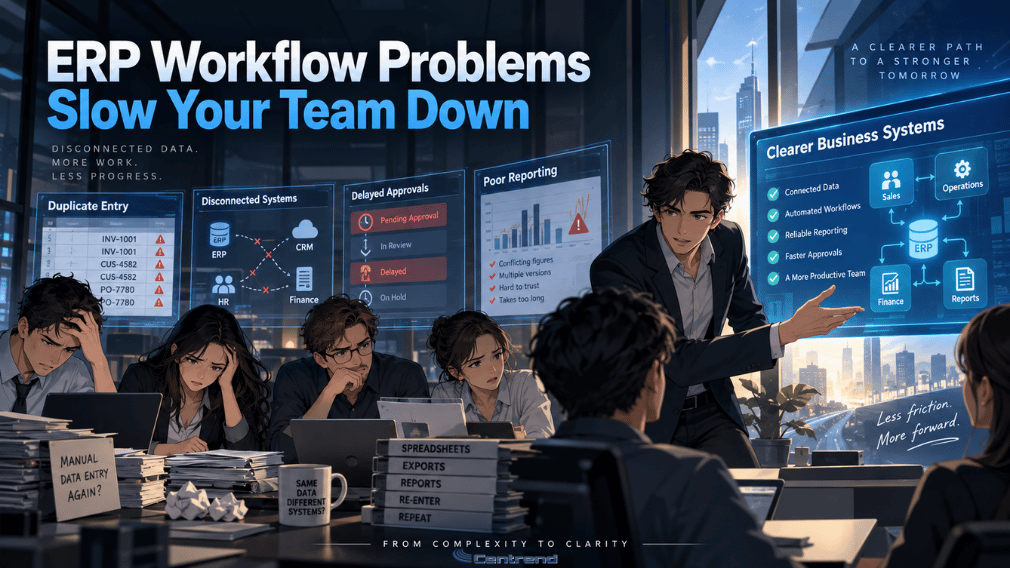
ERP software integration is supposed to bring systems together, not create more problems. But for many companies, poor integration leads to duplicated data, disconnected processes, frustrated teams, and unexpected costs. These mistakes are common, especially for growing businesses trying to move quickly without fully preparing their systems, workflows, and data. This article is designed for companies planning an ERP integration or improving an existing one, and it will walk through the key mistakes to avoid so the process becomes smoother, smarter, and more successful. Why ERP integration goes wrong ERP integration sounds simple on paper. Connect the systems. Sync the data. Improve visibility. Create better workflows. But in real business operations, it is rarely that easy. When integration is rushed or poorly planned, businesses often end up with more issues than solutions. Instead of improving efficiency, they create gaps between departments. Or instead of streamlining reporting, they introduce inconsistent data. And instead of making work easier, they make it harder for teams to trust the system. That is why avoiding common integration mistakes is just as important as choosing the right ERP platform. 1. Starting without a clear integration strategy One of the biggest mistakes businesses make is starting integration without a clear plan. Many companies know they want their ERP to connect with accounting tools, CRM platforms, inventory systems, eCommerce platforms, or reporting tools. But they do not always stop to define what success should actually look like. Without a strategy, integration becomes reactive. Teams make decisions as they go. Priorities shift. Processes get patched together. The end result is a system that may be connected technically, but not connected in a way that truly supports the business. Before integrating anything, businesses should define: A good integration should support the business. It should not just exist because the connection is possible. 2. Ignoring data quality before integration Bad data does not improve when moved into a new system. It only spreads faster. This is one of the most costly ERP integration mistakes. If customer records, inventory data, financial details, or operational data are incomplete, duplicated, or outdated before integration, those same issues can affect every connected workflow after integration. That can lead to: Clean data is not a small detail. It is the foundation of successful ERP integration. Before any system is connected, businesses should review, clean, standardize, and organize their data. That step takes time, but it prevents larger issues later. 3. Trying to integrate everything at once It is tempting to do everything in one push. For growing businesses, the pressure to move fast can lead to large-scale integration projects where multiple systems, processes, and departments are all being updated at the same time. But that approach often creates delays, confusion, and unnecessary risk. When too much happens at once, it becomes harder to: A phased integration approach is often more effective. Start with the most important workflows first. Focus on high-impact connections. Test them well. Then expand with more confidence. A smarter rollout creates better control. 4. Overlooking user workflows ERP integration is not just about systems. It is also about people. A connection may work perfectly from a technical side, but still fail in daily operations if it does not match how teams actually work. This happens when businesses focus too heavily on software logic and not enough on real workflow use. For example: If those workflow needs are not considered early, teams will find workarounds. And once people start using spreadsheets, manual edits, or side processes to fix system gaps, integration value starts to break down. Successful ERP integration should make work easier, not more complicated. 5. Failing to involve the right stakeholders ERP integration should never be handled in isolation. When only one team leads the process without enough input from operations, finance, sales, customer service, or IT, important needs are often missed. That leads to systems that work for one function but create friction for others. The right stakeholders help identify: The more aligned the teams are from the beginning, the better the integration outcome will be. This also improves adoption. When people feel involved in the process, they are more likely to trust and use the final system. 6. Not testing enough before going live Many ERP integration problems are not caused by the integration itself. They are caused by poor testing. Skipping testing or doing only limited testing can leave businesses exposed to issues that affect operations immediately after launch. Data may not sync correctly. Fields may map incorrectly. Reports may pull incomplete information. Automated workflows may fail at the wrong step. Testing should never be treated as a final checkbox. It should include: A strong test process helps businesses catch problems early, before they affect customers, teams, or revenue. 7. Underestimating change management Even a technically successful integration can struggle if the people using it are not ready. ERP integration often changes how teams work, where they find information, and how they complete tasks. If there is little communication, poor training, or unclear rollout support, frustration can grow quickly. This usually shows up as: Businesses should prepare users before launch, not after. That means clear communication, role-based training, and practical support during the transition. Integration success is not only about system performance. It is also about user confidence. 8. Focusing only on the short term Some businesses integrate systems just to solve an immediate issue. Maybe they need faster reporting. Or they want better visibility. And maybe they are fixing one broken process. But ERP integration should also support long-term growth. If the integration is built only for current needs, businesses may find themselves rebuilding the same connections later as operations become more complex. That creates added cost, wasted time, and more disruption. A stronger approach is to ask: ERP integration should solve today’s problems without creating tomorrow’s limits. How to approach ERP integration the right way Avoiding mistakes starts with a better process. Businesses should approach ERP integration with: That does not mean the process has to

ERP Software Integration Mistakes to Avoid Read More »

Gemini Without Integration Wastes Business Potential

Gemini Without Integration Wastes Business Potential

Gemini Without Integration turns powerful AI into missed business value. A lot of businesses say they are “using AI” now. But in many cases, that only means opening a chatbot tab, asking a few questions, and hoping something useful comes out of it. That is not where real business value happens. The real value starts when Gemini is connected to your website, app, platform, support flow, documents, or customer journey. Google’s current Gemini and Vertex AI tools support API-based integration, grounding with Google Search, and supervised fine-tuning for business-specific tasks, which means businesses can move beyond simple prompting and build AI into how work actually gets done The problem with “basic AI use” Generic AI can sound impressive for a minute. It can draft a message, rewrite a paragraph, or answer a surface-level question. But a business does not grow on surface-level answers. If Gemini is not connected to your real systems, it does not know your services, your products, your workflows, your support process, or the information your team depends on every day. That is why many companies try AI, feel the excitement at first, then quietly realize it is not making enough impact. Google’s tuning guidance specifically separates strong prompt use from cases where you need tuning or business-specific adaptation, especially when the task is niche, repetitive, or domain-specific. Why integration changes everything When Gemini is integrated properly, it stops being just another tool people test. It becomes part of the business. Also, it can power a smarter website assistant that answers based on your actual services. It can support your internal team with document-aware help. It can improve search, automate repetitive tasks, summarize files, guide leads, and support customer interactions inside your platform. Vertex AI is built for creating, deploying, and scaling AI applications, and Google’s Gemini ecosystem includes options for grounding and model adaptation that make these use cases practical for production environments. That is the difference. Without integration, AI stays interesting.With integration, AI becomes useful. Where businesses are leaving value behind This is where the loss happens. A business installs AI in the weakest possible way. It stays separate from the website. Separate from the app. From the CRM. And the files. Separate from the daily workflow. So the team still answers the same questions manually. Visitors still leave the website without guidance. Staff still spend time digging through documents. Support still slows down. Leads still drop when nobody is there to respond clearly and quickly. Meanwhile, Gemini can be connected through API, grounded with current web results, and adapted for business tasks with supervised fine-tuning when needed. Google also supports models and workflows designed for production AI use, not just one-off experimentation. What smart businesses do instead Smart businesses do not ask, “Can we use Gemini?” They ask, “Where should Gemini create real value?” That is a much better question. For one business, that may mean a website assistant that answers service questions and helps qualify leads. Another, it may mean an internal tool that can read company files and help staff find answers faster. For another, it may mean smarter app features, workflow automation, document summaries, or better customer support experiences. Google’s official Gemini API documentation supports application integration, and Vertex AI tuning documentation shows that businesses can adapt Gemini for tasks like classification, summarization, extractive question answering, and chat. “Training” Gemini the right way A lot of people use the word “training” loosely. In business, what usually matters is not building a model from scratch. It is making Gemini useful for your actual environment. That can mean: Google’s current documentation makes that distinction clear. Supervised fine-tuning is meant for well-defined tasks with labeled data, while broader business deployment can also rely on grounding and production integration through Vertex AI. So the goal is not just to “have Gemini.” The goal is to shape Gemini around how your business actually works. This is where customer attention shifts People notice when a website helps them clearly. They notice when a platform feels smarter. They notice when answers are faster, support is smoother, and the experience feels more useful from the first click. That is why Gemini integration matters. It is not only about AI capability. It is about customer experience, speed, consistency, and the ability to turn your digital platforms into something more responsive and more valuable. And that matters even more now because businesses can choose different Gemini model options depending on cost, speed, and capability. Google’s current Vertex AI model catalog and pricing pages show active model choices and usage-based pricing, which means implementation decisions can be shaped around actual business needs and budget. The real risk is not doing it halfway The danger is not that Gemini is too advanced. The danger is using it in a shallow way and expecting deep results. If it is not integrated, it stays disconnected from the places where your business wins or loses attention. It stays outside your process. Outside your platform. Outside the customer journey. And when that happens, AI does not fail because it lacks power. It fails because the business never gave it the right place to create value. Final thought Gemini without integration may look modern, but it does not move the business far. The real opportunity is not simply using AI. It is building Gemini into the places where your business communicates, supports, guides, sells, and scales. That is when AI stops being a trend. That is when it starts becoming an advantage. Book a Gemini Integration Strategy Call Keep up with the latest trends in AI, customer support, and smarter business solutions. Subscribe to our mailing list here: https://centrend.com/subscribe/

Gemini Without Integration Wastes Business Potential Read More »

Cloud ERP or Legacy. Illustrated modern IT office with Paul Laflamme holding coffee beside a ChatGPT screen, representing cloud ERP vs legacy ERP in 2026.

Cloud ERP or Legacy: What Businesses Need to Know in 2026

Cloud ERP or Legacy Your ERP might still be running. Team may still be using it every day.Reports may still come through.Operations may still move forward. But in 2026, that is no longer enough. The real question is not whether your ERP still works.The real question is whether it is helping your business move faster, make better decisions, and grow without friction. For many companies, legacy ERP feels familiar. Safe. Proven.But behind that comfort, old systems often create delays, extra cost, limited flexibility, and daily workarounds that slowly wear teams down. Cloud ERP is changing that. It gives businesses a more modern way to run finance, operations, inventory, purchasing, and reporting with better speed, visibility, and room to adapt. Why this matters now Business is moving faster than it used to. In 2026, companies are under pressure to: That pressure exposes the weakness of older ERP systems very quickly. A legacy ERP may still support your business.But it can also quietly slow it down in places that matter most. What legacy ERP often looks like today Legacy ERP is usually not a disaster all at once. It becomes a problem in smaller ways first: At first, these issues can seem manageable. But over time, they create something bigger: This is where many businesses get stuck.They are not fully broken, so they delay change.But they are not truly moving well either. Why cloud ERP is getting more attention Cloud ERP stands out because it is built for change. Instead of forcing businesses to keep adjusting to an older system, it gives them a system that is easier to update, easier to connect, and easier to scale. That usually means: This is why more businesses are looking closely at cloud ERP now. They do not just want software that records activity.They want software that helps the business respond faster and operate smarter. Cloud ERP vs Legacy ERP: the real difference Here is the simplest way to look at it: Legacy ERP Cloud ERP Legacy ERP helps you keep things running. Cloud ERP helps you keep improving. That is the real divide in 2026. The hidden cost of staying with legacy ERP The biggest risk with legacy ERP is not always failure. It is delay. Delay in reporting.Setback in visibility.Setback in change.Stalled in growth. When a business has to work around its own system, the cost shows up everywhere: That cost can stay hidden because it builds quietly. A company may think the system is saving money because it already exists.But in reality, it may be costing the business more every month in inefficiency, complexity, and lost momentum. What businesses should ask in 2026 Before staying with a legacy ERP just because it feels familiar, businesses should ask: These questions matter because ERP is not just a back-office system anymore. It shapes how well a business can act, adapt, and compete. When legacy ERP becomes a warning sign A legacy ERP may be holding your business back if: These are not small signs. They often point to a bigger issue:the business has outgrown the system, even if the system has not fully failed yet. Why cloud ERP is a stronger long-term move Cloud ERP is not just about being newer. It is about being more ready for what business needs now. That includes: For businesses that want to grow without carrying the weight of outdated processes, cloud ERP is often the stronger direction. Not because it is trendy.Because it removes friction that older systems keep creating. Bottom line A legacy ERP may feel stable.A cloud ERP is built to move with the business. That matters in 2026. Because today, the companies that stay competitive are not just the ones that keep operating.They are the ones that can adjust faster, see clearer, and scale with less resistance. If your ERP is creating extra work, slowing visibility, or making change harder, that is not just an IT issue. That is a business issue. Final thought Holding onto a legacy ERP can feel like the easier choice. But when the system starts costing time, flexibility, and momentum, staying the same stops being the safe option. In 2026, businesses do not just need ERP that works. They need ERP that works for where they are going. Book a Cloud ERP Strategy Call

Cloud ERP or Legacy: What Businesses Need to Know in 2026 Read More »

Scroll to Top