Centrend

Cybersecurity

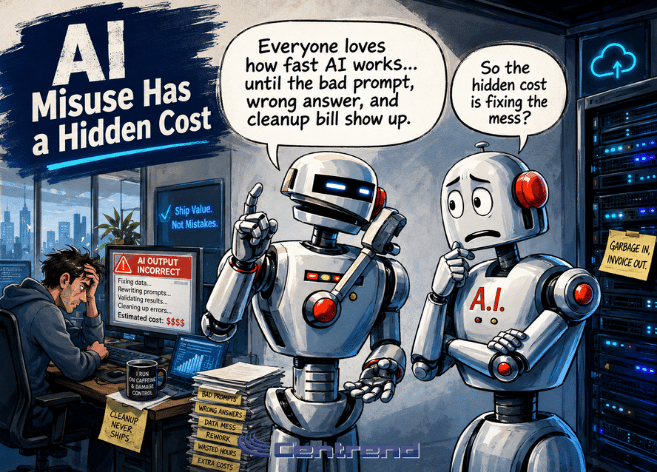
AI Misuse Has a Hidden Cost editorial cartoon showing AI-themed office characters in a modern tech setting, highlighting the risks of careless AI use.

AI Misuse Has a Hidden Cost

AI Misuse is not always obvious at first. It may look like a faster email. A quicker report. A cleaner summary. A tool that helps someone get through work faster. But when AI is used without rules, review, or clear direction, the hidden cost can show up later. The wrong answer. Private information that should not have been shared. A the customer reply that sounds polished but inaccurate. In the report that looks finished but was never checked. AI can save time. But misused AI can quietly create more work, more risk, and more confusion. Why this matters AI is already being used inside many businesses, even when there is no official process in place. Employees may be testing tools on their own. They may use AI to write emails, summarize documents, research topics, or organize ideas. That is not always a problem. The problem starts when no one knows what is allowed, what is risky, or what needs to be reviewed before it is used. That is where AI misuse begins. Not with bad intentions. Often, it starts with someone trying to save time. The hidden cost of random AI use Random AI use can feel harmless. One employee tries one tool. Another uses a different one. Someone pastes business information into a public AI platform. Someone else sends an AI-written message without checking the details. Over time, this creates problems that are easy to miss. • Inconsistent communication• Incorrect information• Privacy concerns• Unclear responsibility• Extra review work• Off-brand messaging• Poor customer experience• Security and compliance risks The business may think AI is helping. But behind the scenes, it may be creating new gaps. The problem is not AI AI is not the problem by itself. The real issue is using AI without a plan. Without clear rules, AI becomes another tool people use in different ways, with different standards, and different levels of review. That creates confusion. It also makes it harder for the business to know what information was used, where it went, who checked it, and whether the final result is accurate. AI should support the work. It should not make the work harder to trust. What AI misuse can look like AI misuse does not always look dramatic. It can look simple. A team member asks AI to rewrite a customer message and sends it without reviewing the details. A manager uses AI to summarize a document that includes sensitive information. An employee uses a free tool because it is easy, even though the business has not approved it. A report is created quickly, but the numbers or facts are not verified. A reply sounds professional, but it does not match the company’s tone or promise. These small moments matter. One small mistake can create a bigger issue for the business. The cost is more than time When AI is misused, the cost is not just wasted time. It can affect trust. Customers may receive wrong or unclear information. Employees may rely on answers that were never checked. Sensitive data may be shared in places it should not be. Leadership may think a process is under control when it is not. The hidden cost is the loss of confidence in the work. Once that trust is damaged, fixing it takes more time than the AI saved in the first place. How businesses can use AI more safely The answer is not to avoid AI completely. The better answer is to use AI with clear direction. Businesses should define where AI can help, where it should not be used, and what must be reviewed before anything becomes final. A safer AI process should include: • Approved AI tools• Clear use cases• Rules for sensitive data• Human review steps• Brand and tone guidance• Accuracy checks• Ownership of the final output AI should help create a first draft, organize information, or support a workflow. But people should stay responsible for the final decision. Start with the right questions Before using AI across the business, start with simple questions. What tasks are safe for AI to support? What information should never be entered into AI tools? Who reviews the output? What tools are approved? What type of work still needs human judgment? How do we make sure AI sounds like our business? These questions help turn AI from a random tool into a safer business process. The better way forward AI works best when it has structure. That means starting with practical use cases, setting rules, reviewing outputs, and keeping people involved. The goal is not to use AI everywhere. The goal is to use AI where it can safely reduce friction, save time, and support better work. When AI is guided by the right process, it becomes more useful. When it is used randomly, it becomes harder to control. The bottom line AI misuse has a hidden cost. It can create confusion, expose sensitive information, weaken customer trust, and add more review work for your team. The businesses that get the most value from AI will not be the ones that use it the fastest. They will be the ones that use it with the most clarity. AI should not replace judgment. It should support better work with the right guardrails, review, and process in place. Use AI with more clarity and less risk. Centrend can help your business identify practical AI use cases, set safer rules, and build workflows that support your team without creating more confusion. Not sure where AI fits? Contact Centrend to turn AI misuse into one clear, practical next step.

AI Misuse Has a Hidden Cost Read More »

Smart AI Needs Human Guardrails illustration showing the evolution from early humans to a modern worker and a robot in a blue-toned IT office with servers and human oversight.

Smart AI Needs Human Guardrails

Smart AI use starts with one simple rule: it should not run without human guardrails. Businesses are using it to draft emails, summarize notes, organize ideas, support customer communication, and speed up daily work. That can save time, but it also creates one important question: Who is checking what it produces? Without clear rules, teams can accidentally expose sensitive information, trust incorrect answers, or use content that does not match the company’s standards. That is where risk begins. Why this matters AI can sound confident even when it is wrong. A polished answer is not always accurate. A fast draft is not always safe. A helpful summary may still miss important details. For businesses, this matters because one careless use can affect customers, internal decisions, data privacy, and trust. The goal is not to avoid AI. The goal is to use it with security, accuracy, and human review. 1. Protect sensitive data Not everything belongs in an AI tool. Teams should avoid entering customer information, passwords, financial details, private company documents, HR information, legal content, or anything confidential. A simple rule helps: If it should not be public, do not paste it into a public tool. 2. Check every important answer AI-generated content should never be accepted automatically. It can be incomplete, outdated, or simply wrong. Before using the output, your team should check facts, confirm details, and review anything that could affect a customer, project, report, or business decision. Fast is helpful. Correct is essential. 3. Keep people in control AI should support your team, not replace judgment. People still need to decide what is accurate, appropriate, useful, and aligned with the business. This matters most for customer replies, marketing content, reports, policies, and anything connected to your reputation. Human review is not extra work. It is the safety step. 4. Set clear rules for the team A safer AI process should be simple enough for everyone to follow. Your business should define: What AI can be used forWhat information should never be enteredWhich tools are approvedWho reviews the final outputWhen approval is required Clear rules reduce confusion and help teams use AI more consistently. 5. Make AI fit your business AI works better when it is built around your actual workflow. That means it should support your brand voice, customer response process, internal standards, and team responsibilities. The real value is not just using AI. The real value is using it in a way that fits how your business works. The bottom line AI can help businesses move faster. But speed without control creates risk. The smart approach is simple: Protect sensitive data.Check the output.Keep people involved.Set clear rules.Use approved tools. With the right guardrails, AI can help your team work with more confidence, better accuracy, and stronger protection. Use AI with confidence, not guesswork. Centrend can help your business create safer AI workflows, protect sensitive information, and build smarter technology processes that support the way your team works. Talk to Centrend About Safer AI Use

Smart AI Needs Human Guardrails Read More »

Public Wi-Fi Still Puts Businesses at Risk

Public Wi-Fi feels convenient, fast, and harmless. But for businesses, it can quietly open the door to stolen data, compromised accounts, and costly security issues that are easy to overlook until the damage is already done. Why this matters Your team does not need to be in the office to put the business at risk. A quick login from an airport, hotel, coffee shop, or shared workspace can expose sensitive information if the connection is not secure. What looks like a simple way to get work done can become an easy path for cybercriminals to intercept data, mimic trusted networks, or target employee logins. The problem Public Wi-Fi is often used without a second thought. Employees connect to check email, access files, log into business apps, or handle customer information while traveling or working remotely. The problem is that public networks are not built with your business security in mind. Some networks are poorly secured. Others are fake hotspots designed to look legitimate. In both cases, your business data can be left exposed. What is at risk A risky public connection can lead to: One weak connection can create a much bigger problem than most businesses expect. Why businesses should take this seriously Cybersecurity issues do not always start with a major system failure. Sometimes they start with one employee connecting to the wrong network for a few minutes. That is what makes public Wi-Fi risky. It feels routine. It feels small. But small habits can create big openings. For a business, that can mean downtime, recovery costs, damaged trust, and avoidable stress for both leadership and staff. What businesses should do instead The good news is this risk is manageable. Businesses can reduce exposure by putting a few practical safeguards in place: These steps are simple, but they make a real difference. The bottom line Public Wi-Fi is convenient, but convenience should never come before protection. If your team works from airports, hotels, coffee shops, client sites, or anywhere outside the office, this is not just an employee habit issue. It is a business security issue. The safer approach is not to rely on public networks as if they are trustworthy. It is to assume risk is there and prepare for it before it becomes a problem. Final thought Strong cybersecurity is not only about stopping major attacks. It is also about closing the small gaps that attackers count on. Public Wi-Fi is one of those gaps. And for businesses that want to protect operations, data, and trust, it is a risk worth taking seriously. Need help securing your business? Book a consultation or contact us to talk through safer remote access and cybersecurity support.

Public Wi-Fi Still Puts Businesses at Risk Read More »

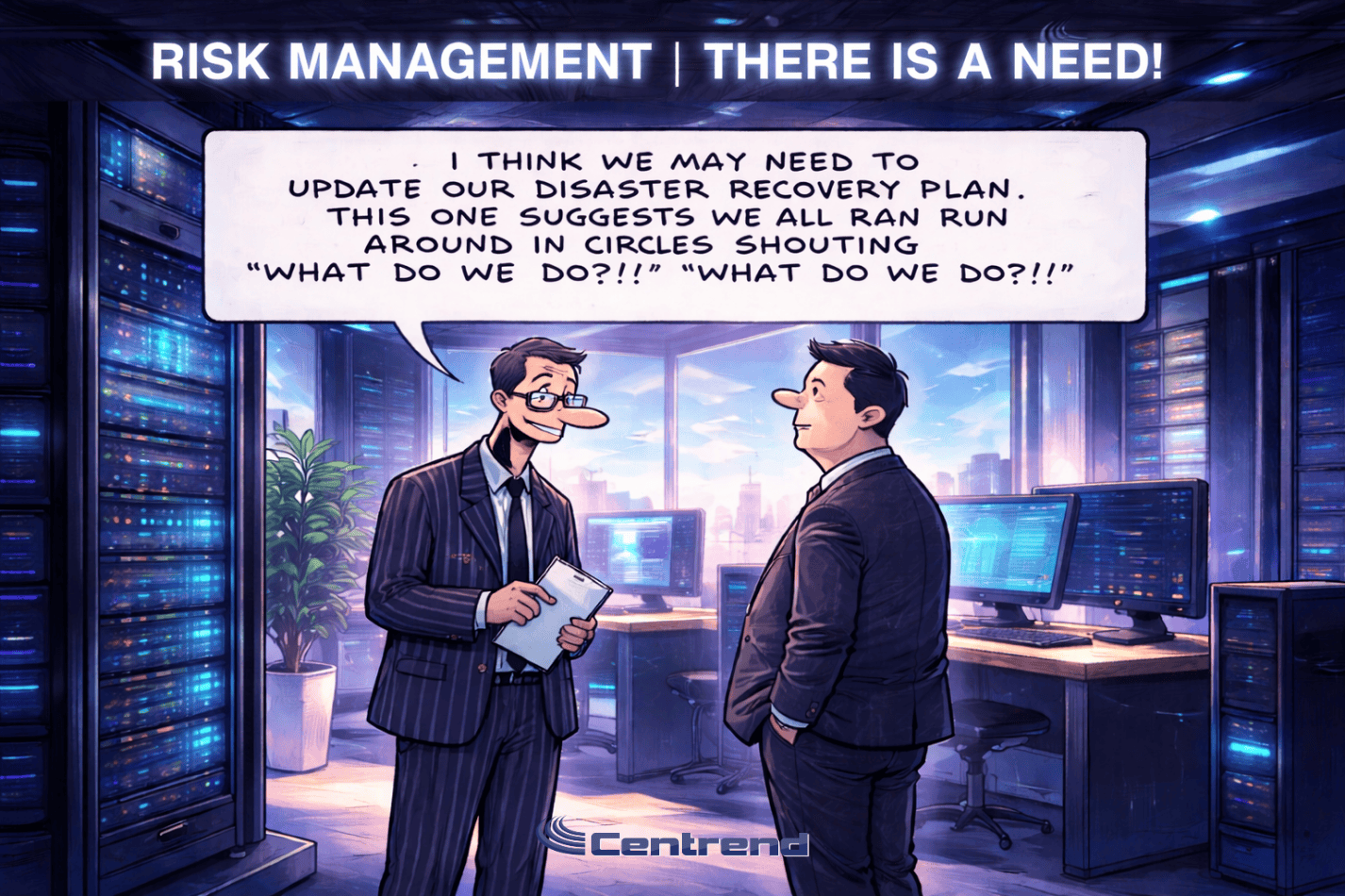
Two businessmen in a modern IT office, humorously discussing an outdated disaster recovery plan with glowing server racks and city views in the background.

Business Continuity: Beyond Traditional Backup Solutions

Business Continuity isn’t just about backing up your data anymore. In a world of constant cyber threats and unexpected disruptions, it’s about ensuring your business keeps operating, no matter what. Backup solutions alone can no longer guarantee protection. Today, your business needs a comprehensive resilience strategy that goes beyond recovery to ensure uninterrupted operations. Why It Matters:When systems fail, downtime isn’t just a minor inconvenience. It costs you customer trust, brand reputation, and profits. Relying on traditional backups is like putting all your eggs in one basket—leaving your business exposed. The New Standard:Modern continuity requires more than backup. You need: The Outcome:With the right resilience strategy, your business doesn’t just survive a disruption—it thrives, staying secure, efficient, and operational no matter the challenge. Get Ahead:Don’t wait for the next crisis. Move beyond backup. Invest in a strategy that keeps your business always on and disaster-ready. Ready to strengthen your business continuity plan? Book a consultation today or Contact us for more information on how we can help you implement resilient solutions tailored to your needs.

Business Continuity: Beyond Traditional Backup Solutions Read More »

Anime-style illustration of a modern IT office under a computer virus attack, with employees working at computers while virus icons spread across systems.

What a Virus Can Cost Your Business

Why it matters What a virus in a single computer can quietly cost your business… The problem Most businesses think a virus is just a small IT issue.Something that slows down a computer. Maybe something antivirus can handle. But that’s not how it works today. Viruses are no longer just annoying.They are built to spread, steal, and disrupt entire systems. The impact Here’s what one virus can actually cost your business: The agitation The hardest part? Most businesses don’t notice the damage right away. A virus can sit quietly: By the time it’s visible, the impact is already bigger than expected. The big picture This is no longer just about “having antivirus.” Modern threats are designed to: That’s why even careful teams still get hit. What to do Simple steps that make a real difference: Bottom line A computer virus is not just an IT issue.It’s a business risk. The cost is not just technical.It affects your time, your revenue, and your operations. The businesses that stay protected are the ones that prepare before it happens. If you want to strengthen your systems before small issues become costly problems, Contact Us or Book a Time to talk.

What a Virus Can Cost Your Business Read More »

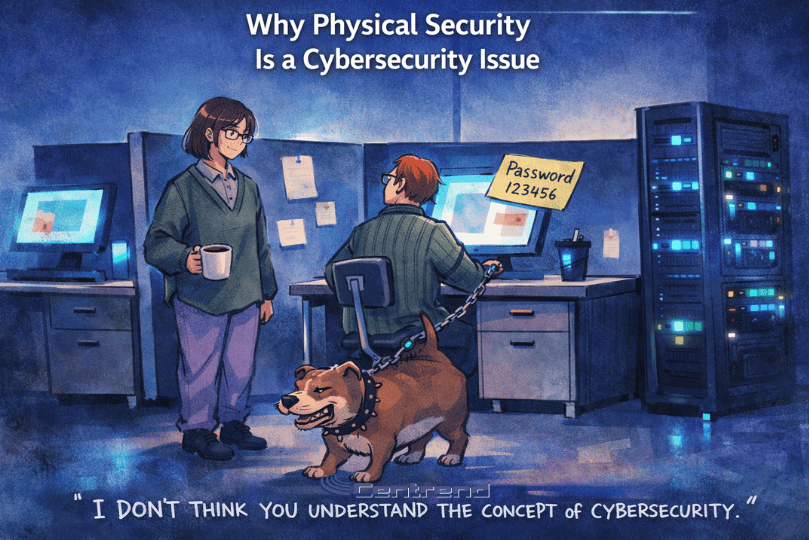
Anime-style blog image showing a modern IT office with glowing server racks, a worker at a computer with a weak password note, a coworker holding coffee, and a dog chained to the desk under the title “Why Physical Security Is a Cybersecurity Issue.”

Why Physical Security Is a Cybersecurity Issue

Why Physical Security is now a cybersecurity issue comes down to one simple shift: today’s cameras, access controls, alarms, and monitoring tools are connected to your network. Many businesses still treat physical security and cybersecurity as separate concerns, but that gap creates real risk. When these systems are not secured properly, they can become easy entry points for cyber threats. Why it matters A surveillance system is no longer just a set of cameras on a wall. It is part of your network. If those devices are outdated, poorly configured, or left unmonitored, they can expose your business to unauthorized access, stolen footage, system disruption, and larger security breaches. The problem Physical security tools are smarter than ever, but that also makes them more exposed. What often gets missed: The pressure point A business may believe its surveillance system is protecting the property, while in reality that same system may be creating a blind spot in its cybersecurity. That risk grows when: The solution Physical security needs to be treated as part of the broader cybersecurity strategy. What stronger protection looks like: Dig deeper: Why this shift matters now Modern physical surveillance systems are built on IP networks, cloud access, mobile apps, and connected management tools. That means they no longer sit outside the cyber conversation. They are part of it. A compromised surveillance device can do more than stop recording. It can expose sensitive footage, create unauthorized access paths, and weaken trust in the entire security environment. The bottom line Physical security without cybersecurity is no longer enough. If your cameras, access controls, and monitoring systems are connected, they need the same level of attention as the rest of your IT environment. Protecting your building now also means protecting the systems behind it. What to do next If your business relies on connected surveillance or access control systems, now is a good time to review how secure they really are. Review your physical security environmentIdentify weak points before they become larger risks Ready to see if your physical security system is also creating cyber risk? Contact Centrend to review your environment and strengthen your protection.

Why Physical Security Is a Cybersecurity Issue Read More »

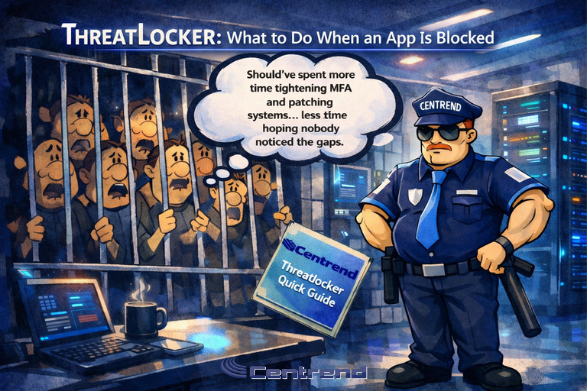
Storyboard-style anime illustration in a modern IT office: a Centrend-branded security officer stands beside a server rack while frustrated attackers are behind bars. A thought bubble mentions tightening MFA and patching systems. Title reads “ThreatLocker: What to Do When an App Is Blocked,” and a “Centrend ThreatLocker Quick Guide” booklet is shown.

ThreatLocker: What to Do When an App Is Blocked

ThreatLocker can stop you mid-task with a pop-up like: Centrend has blocked: Request to Run a New Program.It can feel annoying, but it is doing its job. ThreatLocker is protecting your device by stopping unapproved software from running. This quick guide shows exactly what to do next so you can get back to work fast. Why you’re seeing this ThreatLocker uses a “deny by default” approach. That means programs are blocked unless they’re approved. This helps prevent malware, ransomware, and unwanted tools from sneaking onto your computer. Sometimes the blocked item is a normal business app. Other times, it’s something risky that should never run. Either way, the next step is the same: send a request the right way. First, confirm you’re actually blocked Only take action when you see the ThreatLocker block pop-up. NEVER send a request unless you are trying to run or install something and it gets blocked.If you don’t see the pop-up, you don’t need to do anything. What to do when you see the block pop-up Before you continue, you can also download the printable version: ThreatLocker Quick Guide (Centrend) When the pop-up appears, follow these steps. It takes under a minute: Tip: The clearer your reason is, the faster we can approve it. What happens next After you click Send Request: If we need more info, we’ll reach out so we can approve it correctly. What not to do When you’re blocked, it’s tempting to try a workaround. Please don’t. One clean request with a clear reason is the fastest route back to work. Quick checklist for a “strong” request Before you click send, make sure your request includes: This helps Centrend approve safely and quickly. Need help right now? If you’re blocked and it’s urgent, contact Centrend Support. Email: helpdesk@centrend.comPhone: 508-347-9550 ext. 1Website: www.centrend.com Celebrating 20 Years of CentrendThank you for being part of our journey. Here’s our 20th Anniversary poster you can share or display: Get Your Centrend 20th Anniversary Poster

ThreatLocker: What to Do When an App Is Blocked Read More »

Centrend 20th Anniversary: built on client trust, proactive IT, and support that keeps teams secure, productive, and growing. Executive portrait in a modern IT office with “20 Years” sign and subtle balloons.

Centrend 20th Anniversary: Built on Client Trust

Centrend 20th Anniversary Most business owners do not wake up excited to think about IT. You just want your team to log in, get work done, and go home on time. You want files to open fast, email to behave, printers to stay quiet, and security to be something you do not have to lose sleep over. But when technology is reactive, it steals time in the most expensive way possible: interruptions, downtime, surprise bills, and that lingering feeling that you are one click away from a bigger problem. And the truth is, “good enough” IT usually looks fine right up until it does not. A missed patch becomes a ransomware headline. A failing backup becomes a week of reconstruction. A vague support plan becomes finger-pointing when something critical breaks. The cost is not only money. It is momentum. Trust. The confidence to grow. That is exactly why Centrend exists, and why we are proud to celebrate 20 years in business. 20 years of proactive IT, built for real businesses For two decades, Centrend has focused on one simple goal: streamline your technology so you can focus on growing your business. That means we do not wait for things to fail. We design, maintain, protect, and improve your environment so problems get prevented, not “handled later.” Proactive IT is not a buzzword. It is a discipline. It is consistent standards, clear processes, real accountability, and security that is treated like a business requirement, not an add-on. That mindset is also why our communication matters just as much as our tools. We believe in no nerd-words. You deserve straight answers and clear recommendations you can act on. The milestone is ours, but it was built with our clients Anniversaries are not really about the company. They are about the people who trusted the company. To every client who called us during a stressful moment, gave us the chance to prove ourselves, and stayed with us as your business evolved: thank you. You have shaped how we operate, what we prioritize, and the standards we hold ourselves to. You pushed us to be better in the moments that matter most: If Centrend has earned a reputation for being responsive, practical, and security-minded, it is because our clients demanded that level of service, and we chose to meet it. What we stand for, and why it works Over 20 years, the tools have changed. The threats have changed. The expectations have changed. What has not changed is what businesses need from their IT partner. You need prevention, not panic Centrend 20th Anniversary is the benchmark of proactive monitoring, patching, and maintenance are not exciting, but they are what stop the “small issues” from becoming expensive interruptions. You need security you can trust Security is not a product you buy once. It is a system of habits and controls that gets reviewed, updated, and enforced. We take that seriously, including aligning with security-focused programs and best practices as requirements increase. You need support that respects your time When something goes wrong, you should not have to fight for a response or explain your environment from scratch. You deserve fast, reliable help and follow-through. You need a partner who owns the outcome One of our core promises is simple: if you are unhappy with our work, we will do what it takes to make it right to your standards. No small print. The Centrend approach in plain English Here is what “proactive IT” looks like when it is done the right way: In other words: we help make IT boring again. In the best way. Looking ahead: the next 20 years of business IT If the last decade proved anything, it is that change is now constant. Cloud adoption, remote work, vendor sprawl, cyber insurance pressure, compliance expectations, and AI-driven threats are all accelerating. Centrend 20th Anniversary. Our commitment for the future is the same as it has been: keep your systems secure, keep your people productive, and keep your technology aligned with the business. That means doubling down on: Thank you for building this milestone with us Centrend turning 20 is a proud moment. But it is also a reminder that trust is earned over time, ticket by ticket, project by project, and conversation by conversation. To our clients, partners, and community: thank you for 20 years of trust. We do not take it lightly. If you are a long-time client, we are grateful you are here. If you are new to Centrend, we would love the chance to show you what proactive IT support feels like when it is built around your business. Request a proactive IT roadmap for the next 6 to 12 months.

Centrend 20th Anniversary: Built on Client Trust Read More »

AI Workflow automation illustration showing a robot and a human working side by side in a blue-lit digital office, with glowing screens, server racks, and a resting cat, highlighting fast task execution and team support.

AI Workflow Automation Simplifies Growth for Lean Teams

AI workflow automation, lean teams do not fail because they lack ideas.They fail because too much time goes to repetitive work, slow approvals, and disconnected tools. You start the week with a clear plan. By Friday, you are buried in manual tasks, chasing updates, and rewriting the same message for different channels. Output drops. Quality slips. Growth stalls. That is the real problem. The good news is this: you do not need a big team to scale. You need a smarter workflow. AI workflow automation helps lean teams remove bottlenecks, speed up execution, and focus on the work that actually drives results. The real pain lean teams face Most lean teams deal with the same pressure points: When this repeats every week, growth becomes reactive instead of intentional. Why the old way stops working The old workflow depends on constant human effort for every small step: This model does not scale. It burns people out and makes performance inconsistent. The better path: AI workflow automation AI workflow automation is not about replacing your team.It is about removing repetitive friction so your team can do higher-value work. A practical setup looks like this: That is how lean teams create consistency without adding headcount. What changes after implementation When the workflow is structured correctly, you will see clear improvements: The key shift is simple: stop measuring activity, start measuring outcomes. Not just opens.Clicks, conversions, and pipeline impact. A simple rollout for lean teams You do not need a huge launch. Start small and build confidence. Small consistent steps create scalable systems. Final takeaway Lean teams grow faster when they stop doing everything manually.AI workflow automation gives structure, speed, and focus, so you can produce better marketing with less strain and stronger results. If growth matters, simplify the workflow first.Everything else gets easier after that. Turn cybersecurity tips into real results, Schedule a Strategy Call Today!

AI Workflow Automation Simplifies Growth for Lean Teams Read More »

Animated, storybook-style IT office scene with cool blue lighting: a worried businessman points while a huge diapered “Artificial Intelligence” baby smashes a crib and reaches toward glowing server racks; title at the top reads “AI Guardrails for GenAI and Agents.”

AI Guardrails for GenAI and Agents

AI Guardrails for GenAI GenAI is no longer “a tool people try.” It is now part of daily work. Teams use it to draft emails, summarize meetings, write code, build proposals, and answer customer questions. Now add agents.Agents do not just write. They take actions. They can pull files, trigger workflows, update tickets, query systems, and connect to apps. That is where guardrails matter. Guardrails are not fear. Guardrails are how you get speed without losing control. GenAI vs Agents, what changes GenAI (chat and copilots)You ask. It responds. Most risk lives in what people paste in, and what the model outputs. Agents (tools and actions)You ask. It can do. Most risk lives in permissions, connectors, and what the agent is allowed to touch. If you treat agents like chatbots, you will miss the point. Agents need stronger boundaries. What “AI guardrails” really means AI Guardrails for GenAI are a set of rules and controls that answer four questions: If you can answer those clearly, you are already ahead of most teams. The guardrails that hold up in real life 1) Approved tools only Decide which AI tools are allowed, and which are not.Make it easy to do the right thing by providing an approved option. Good guardrail: 2) Clear data rules for prompts and uploads Most teams need a simple line in the sand. Examples of clear rules: This is not about perfect behavior. It is about a clear standard people can follow. 3) Identity and access that match the risk AI access should not be “anyone with a login.” Guardrails to use: 4) Connector control for agents Agents get dangerous when they can connect everywhere. Strong guardrail: A good rule:If the agent can take an action that changes data, it needs tighter approval. 5) Logging you can actually use If you cannot answer “who did what” later, you will lose time in every incident. Logging guardrails: 6) Output checks that prevent costly mistakes GenAI can hallucinate, invent sources, or misstate facts. Agents can act on flawed output. Practical guardrails: 7) Simple training that people will remember AI Guardrails for GenAI. Your policy does not matter if no one follows it. Make training short: Then repeat it. A little, often. A quick “hold up under pressure” checklist If you want to sanity-check your AI setup, start here: If you said “not yet” to a few of these, that is normal. This is new for many teams. Where this connects to CMMC and audit readiness If your organization touches CUI, your AI guardrails should support the same habits you need for strong security programs: The goal is simple. Use AI, keep control, and keep proof. How Centrend helps Centrend helps teams put AI guardrails in place that people follow and auditors can understand: If your team is using GenAI today or planning agents next, it is a great time to set guardrails before usage grows. Want a quick AI Guardrails Review?We can map your current AI use, tighten access, and leave you with a clear action list for the next 30 to 90 days. Book an AI Guardrails Review

AI Guardrails for GenAI and Agents Read More »

Scroll to Top