
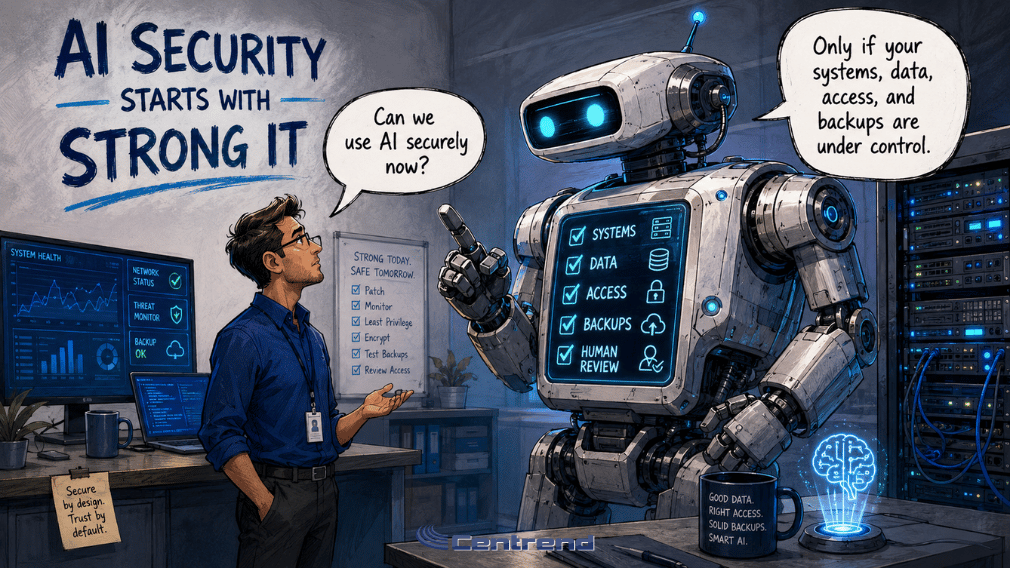
AI Security starts with the systems, data, and controls behind the tool.
AI can help teams work faster.
It can support reports, emails, research, customer replies, workflows, and daily decisions.
But if the IT environment is weak, AI can create more risk than value.
Outdated systems.
Messy data.
Loose access.
Unprotected backups.
Unclear review.
That is where AI security problems begin.
Why this matters
Many businesses are excited to use AI.
That makes sense.
AI can reduce repetitive work, organize information, and help teams move faster.
But AI does not work in a vacuum.
It depends on the systems connected to it.
If those systems are outdated, disconnected, or poorly secured, AI can pull from the wrong information, expose sensitive data, or speed up mistakes.
A smart AI strategy needs a strong IT foundation first.
The problem
AI can move fast.
So can risk.
When AI is connected to weak systems, it may:
- Use outdated files
- Pull from duplicate records
- Access information it should not see
- Create polished but incorrect answers
- Spread bad data across workflows
- Increase exposure to cyber threats
- Add more review work for the team
The issue is not always the AI tool.
Sometimes, the bigger issue is the environment around it.
Strong IT makes AI safer
Before scaling AI, businesses should ask:
- Are our systems secure?
- Is our data accurate?
- Are our backups protected?
- Do we control who can access what?
- Are our tools connected properly?
- Is someone reviewing the output?
- Do we know what AI is allowed to use?
If the answer is unclear, the business may not be ready to expand AI yet.
What AI security should include
1. Reliable systems
AI works better when the systems behind it are stable, updated, and properly supported.
Outdated tools can create integration issues, security gaps, and unreliable results.
2. Clean business data
AI should not learn from old files, duplicate records, or conflicting information.
Clean data helps reduce wrong answers and unnecessary rework.
3. Protected access
AI should only access the information it truly needs.
Customer, financial, HR, legal, and operational data should be protected with clear permissions.
4. Secure backups
Ransomware can turn one small gap into major downtime.
Backups should be protected, tested, and ready before something goes wrong.
5. Human review
AI can support the work.
People still need to check the output, confirm the facts, and own the final decision.
The better approach
Do not start by giving AI access to everything.
Start by strengthening what AI depends on.
Update the systems.
Clean the data.
Limit access.
Protect backups.
Set review steps.
Measure the results.
Then expand carefully.
AI should help the business move faster without weakening control.
The bottom line
AI security is not only about the AI tool.
It is about the systems, data, access, backups, and people behind it.
When the IT foundation is strong, AI can support better workflows with less risk.
When the foundation is weak, AI can make small problems move faster.
Before scaling AI, secure the foundation first.
Build a safer foundation for AI
Centrend helps businesses strengthen IT systems, protect data, improve security controls, and prepare workflows for practical AI use.
Not sure if your business is ready to use AI securely? Contact Centrend to review your systems, data, access, backups, and workflows before small gaps become bigger risks.