
Centrend

business cybersecurity

Why AI Adoption Needs Cybersecurity First

Why AI adoption needs cybersecurity first is simple: AI moves fast. So do the risks around it. Businesses are using AI to draft emails, summarize documents, analyze data, improve workflows, and support daily decisions. That can create real value. But if AI is added before the business protects its systems, data, access, and users, it can create new security gaps faster than the team can manage. AI should help the business move smarter. It should not create a new way for sensitive information, wrong answers, or weak controls to spread. The problem Many businesses start with the tool. They ask: What AI platform should we use? But the better question is: Are our systems secure enough to support AI? AI depends on the environment around it. If your data is messy, permissions are loose, employees are using public tools, backups are untested, or cybersecurity controls are weak, AI can make those problems more visible and more dangerous. A useful tool can quickly become a risky shortcut. Why this matters AI can touch sensitive parts of the business: Without cybersecurity first, teams may not know what information is being shared, where it is going, who can access it, or whether the output is safe to use. That creates risk. Not always loudly. Sometimes it shows up as a polished but incorrect answer. A private document copied into a public tool. A report built from the wrong data. A customer reply sent without review. A workflow that exposes more access than it should. AI needs secure access AI should not have unlimited access to business information. It should only reach what it needs. That means businesses need clear rules for: The goal is not to block AI. The goal is to use AI without losing control. AI needs clean and protected data AI is only as reliable as the information behind it. If AI pulls from outdated files, duplicate records, old policies, or scattered documents, it can create answers that sound correct but are not. Cybersecurity and data quality work together. Businesses need to know: Clean, protected data helps AI become more useful and less risky. AI needs employee guidance Employees may already be using AI to save time. That is not always a problem. The problem begins when there are no rules. Without guidance, employees may enter sensitive information into public tools, use unapproved platforms, or trust AI output without checking it. A practical AI policy should answer: Simple rules protect both the business and the team. AI needs monitoring and accountability Cybersecurity is not just prevention. It is also visibility. Businesses need to know how AI is being used, which tools are connected, and whether important outputs are being reviewed. AI should have accountability built into the process. That includes: If something goes wrong, the business should not be guessing what happened. The better approach Start with cybersecurity before scaling AI. Review the systems. Clean up the data. Approve the tools. Limit access. Protect backups. Train employees. Keep human review in place. Then expand carefully. AI adoption works best when the foundation is already secure. The bottom line AI can help businesses save time, improve workflows, and make information easier to use. But speed without security creates risk. Before adopting AI across the business, make sure the systems, data, access, and people behind it are ready. Cybersecurity should not come after AI adoption. It should guide it from the start. Build a safer path to AI adoption Centrend helps businesses strengthen cybersecurity, review systems, protect data, and create practical guidance before AI becomes part of daily work. Not sure if your business is ready to use AI securely? Contact Centrend to review your systems, data, access, and policies before small gaps become bigger risks. [Insert contact link]

Why AI Adoption Needs Cybersecurity First Read More »
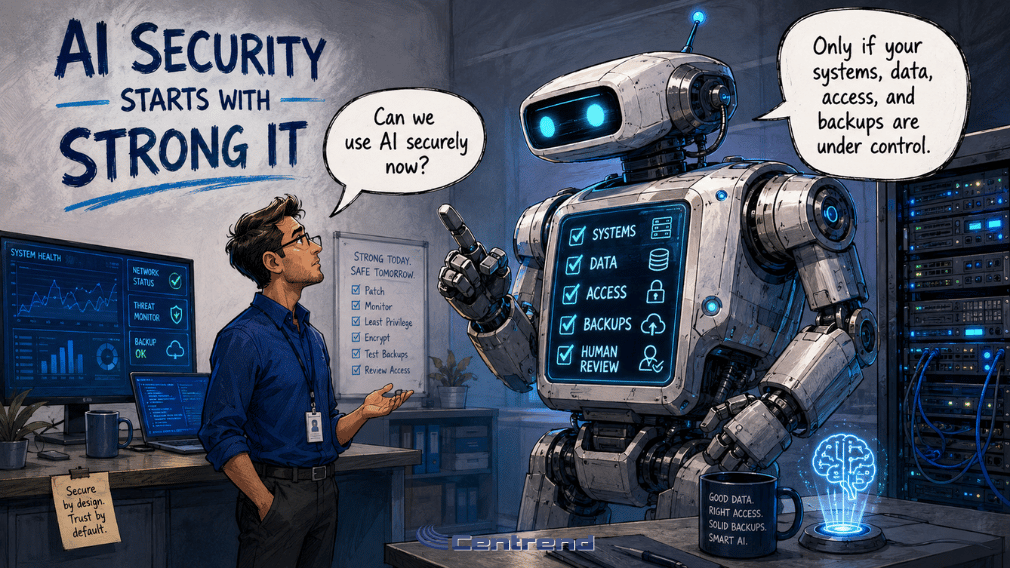
AI Security Starts With Strong IT illustration showing an IT professional asking a large AI robot if AI can be used securely, while the robot explains that systems, data, access, and backups must be under control.

AI Security Starts With Strong IT

AI Security starts with the systems, data, and controls behind the tool. AI can help teams work faster. It can support reports, emails, research, customer replies, workflows, and daily decisions. But if the IT environment is weak, AI can create more risk than value. Outdated systems.Messy data.Loose access.Unprotected backups.Unclear review. That is where AI security problems begin. Why this matters Many businesses are excited to use AI. That makes sense. AI can reduce repetitive work, organize information, and help teams move faster. But AI does not work in a vacuum. It depends on the systems connected to it. If those systems are outdated, disconnected, or poorly secured, AI can pull from the wrong information, expose sensitive data, or speed up mistakes. A smart AI strategy needs a strong IT foundation first. The problem AI can move fast. So can risk. When AI is connected to weak systems, it may: The issue is not always the AI tool. Sometimes, the bigger issue is the environment around it. Strong IT makes AI safer Before scaling AI, businesses should ask: If the answer is unclear, the business may not be ready to expand AI yet. What AI security should include 1. Reliable systems AI works better when the systems behind it are stable, updated, and properly supported. Outdated tools can create integration issues, security gaps, and unreliable results. 2. Clean business data AI should not learn from old files, duplicate records, or conflicting information. Clean data helps reduce wrong answers and unnecessary rework. 3. Protected access AI should only access the information it truly needs. Customer, financial, HR, legal, and operational data should be protected with clear permissions. 4. Secure backups Ransomware can turn one small gap into major downtime. Backups should be protected, tested, and ready before something goes wrong. 5. Human review AI can support the work. People still need to check the output, confirm the facts, and own the final decision. The better approach Do not start by giving AI access to everything. Start by strengthening what AI depends on. Update the systems.Clean the data.Limit access.Protect backups.Set review steps.Measure the results. Then expand carefully. AI should help the business move faster without weakening control. The bottom line AI security is not only about the AI tool. It is about the systems, data, access, backups, and people behind it. When the IT foundation is strong, AI can support better workflows with less risk. When the foundation is weak, AI can make small problems move faster. Before scaling AI, secure the foundation first. Build a safer foundation for AI Centrend helps businesses strengthen IT systems, protect data, improve security controls, and prepare workflows for practical AI use. Not sure if your business is ready to use AI securely? Contact Centrend to review your systems, data, access, backups, and workflows before small gaps become bigger risks.

AI Security Starts With Strong IT Read More »

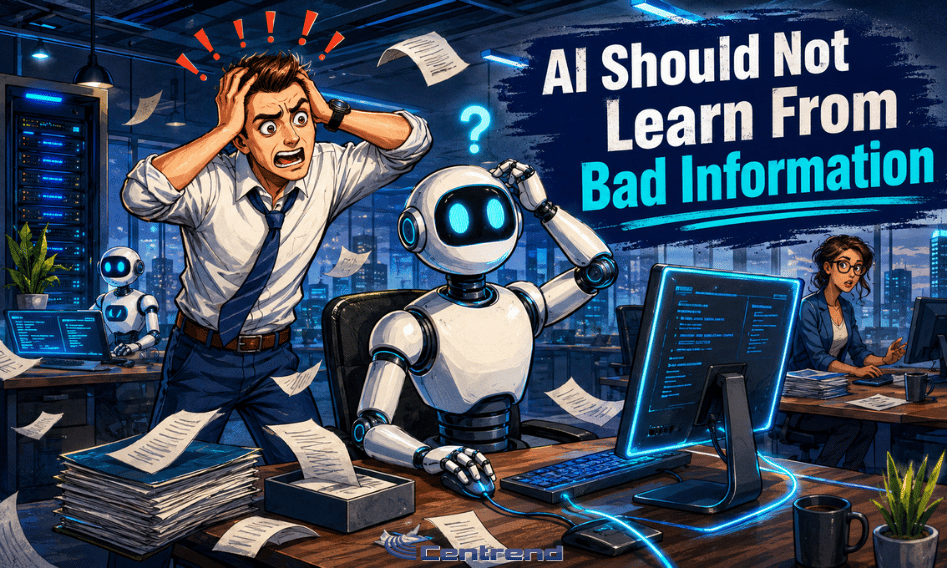
AI Should Not Learn From Bad Information illustration showing a stressed office worker beside a confused AI robot in a modern IT office, with papers flying and staff working in the background.

AI Should Not Learn From Bad Information

AI Should Not learn from bad information. It can write quickly. Or can sound polished. It can organize answers in seconds. But if the information behind it is outdated, incomplete, duplicated, or wrong, the result can still create serious business risk. A clean AI answer is not always a correct answer. Why this matters Businesses are starting to use AI for emails, reports, research, internal updates, customer communication, and workflow support. That can be helpful. But AI depends on the information it is given. If it pulls from old files, conflicting records, outdated policies, or disconnected systems, it can produce answers that look professional but are not reliable. That is where the danger starts. The mistake may not look obvious. It may look like a finished report. A helpful reply. A confident recommendation. A clear summary. But behind the clean wording, the information may be wrong. Bad information creates business risk AI can move work faster. But it can also move bad information faster. That can lead to: The problem is not only the AI tool. The problem is the information connected to it. If the source is weak, the output will be weak too. Where bad information usually starts Bad AI output often begins with everyday business issues. Old documents stay in shared folders. Teams keep multiple versions of the same file. Customer records are incomplete. ERP or CRM data does not match. Policies are updated in one place but not another. Employees save important information outside approved systems. These issues may already slow the business down. AI can make them more visible. And sometimes, it can make them worse. AI should use approved sources AI should not pull from everything. It should pull from what the business trusts. Before using AI in a workflow, businesses need to know: This is especially important for customer communication, financial reports, HR information, legal content, cybersecurity, and operational decisions. AI should support better work. It should not spread outdated or unapproved information. Clean data comes before useful AI Before expanding AI, businesses should review the information it will depend on. Start with simple questions: These questions help prevent AI from becoming another source of confusion. They also make the output easier to trust. Human review still matters Even with clean data, AI still needs review. AI can miss context. It can misunderstand instructions. It can sound certain when the answer needs checking. That is why people must stay responsible for the final result. A safer AI workflow should include: AI can support the process. People must protect the accuracy. The better approach Do not start by asking AI to do everything. Start by improving what AI will learn from. Clean the data. Organize the documents. Confirm the sources. Control access. Review the output. Then use AI where it can safely support the work. That is how businesses move from random AI use to practical AI value. The bottom line AI should not learn from bad information. If the data is outdated, scattered, or unreliable, AI can create polished answers that still lead to mistakes. The goal is not just faster output. The goal is trusted output. Reliable AI starts with reliable information, secure systems, and people who know what needs to be checked. Make your information AI-ready Centrend helps businesses review systems, data sources, workflows, and security controls so AI can support daily work with less risk and more confidence. Not sure if your business information is ready for AI? Contact Centrend to review the systems, sources, and workflows your AI will depend on.

AI Should Not Learn From Bad Information Read More »

AI Needs A Strong IT Foundation illustration showing an IT professional inspecting server infrastructure, organized network cables, system health dashboards, and secure technology foundations that support reliable AI use.

AI Needs a Strong IT Foundation

AI needs reliable, secure, and connected systems to deliver real business value. Businesses are investing in AI to reduce repetitive work, improve reporting, organize information, and help teams move faster. But when the IT environment is outdated, disconnected, or poorly secured, AI cannot deliver reliable results. It may simply expose the problems that were already there. The problem: AI depends on your existing systems AI does not operate in isolation. It relies on: When those systems do not work well together, AI has less dependable information to use. The result can be: A powerful AI tool cannot compensate for a weak technology foundation. Why this matters Many businesses begin their AI journey by asking: Which tool should we use? The better question is: Is our IT environment ready to support it? A new AI platform may look impressive during a demonstration. But once it needs to connect with an ERP system, customer database, shared drive, email platform, or internal workflow, hidden problems can surface quickly. Outdated software may not integrate properly. Different departments may store conflicting versions of the same information. Employees may rely on manual workarounds that no one has documented. Access permissions may be broader than they should be. Instead of removing work, AI can create another layer for the team to manage. Five signs your IT foundation may not be ready 1. Your systems do not communicate Information may be spread across accounting software, spreadsheets, email, CRM platforms, shared drives, and ERP systems. If employees must repeatedly copy information between tools, AI will likely face the same disconnected process. 2. Your business data is inconsistent AI needs reliable information. Duplicate customer records, outdated documents, incomplete fields, and conflicting reports can weaken the result, even when the AI response sounds confident. 3. Your software is outdated Older applications may lack secure integrations, modern APIs, vendor support, or the performance needed for new AI workflows. Connecting AI to unsupported systems can create technical problems and unnecessary risk. 4. Access control is unclear AI should not automatically have access to every document, customer record, financial file, or employee folder. Permissions must be defined before information is connected to an AI tool. 5. Security gaps already exist Weak passwords, shared accounts, delayed updates, unmanaged devices, and poor monitoring do not disappear when AI is introduced. They become part of the AI risk. AI can amplify existing problems AI is designed to move information and complete tasks faster. That is valuable when the underlying process is clear and secure. But speed can also make weak systems harder to control. AI may retrieve outdated files faster. It may move incorrect information between disconnected platforms. Or give more users access to data that was already poorly protected. It may automate a process that still depends on manual corrections. Before adding AI, businesses should understand what the technology is being connected to. What a strong AI foundation looks like Reliable managed IT Networks, devices, applications, backups, and support systems should be stable enough to handle new workflows without creating disruption. Connected business systems ERP, CRM, accounting, communication, and document platforms should exchange information clearly where integration is required. Organized business data Important records should be accurate, current, and stored in approved locations. Strong cybersecurity controls Access should follow the principle of least privilege, with multifactor authentication, secure devices, updated systems, and appropriate monitoring. Clear workflow ownership The business should know: Technology works better when responsibility is clear. Start with an IT readiness review Before investing in another AI platform, review the environment it will depend on. Ask: These questions can prevent an exciting AI project from becoming an expensive technical problem. Build the foundation before scaling Businesses do not need to modernize everything at once. Start with the systems connected to the first AI use case. Review the workflow. Fix the most important gaps. Secure the access. Test the integration. Measure the result. Then expand only when the environment can support it. The goal is not simply to add AI. The goal is to make AI dependable. The bottom line AI can help businesses work faster, organize information, and reduce repetitive tasks. But it cannot create reliable value from outdated systems, disconnected tools, weak security, or poor data. Before adding AI, strengthen the foundation beneath it. Because smarter technology still needs reliable IT. Build an IT foundation ready for AI Centrend helps businesses evaluate their technology environment, improve system integration, strengthen cybersecurity, and prepare existing workflows for practical AI use. Not sure whether your IT environment is ready for AI? Contact Centrend to identify the gaps, strengthen the foundation, and build a clearer path forward. Ready to turn AI ideas into practical business value? Download the Centrend AI brochure to explore our services, process, safeguards, and approach to responsible AI adoption.

AI Needs a Strong IT Foundation Read More »

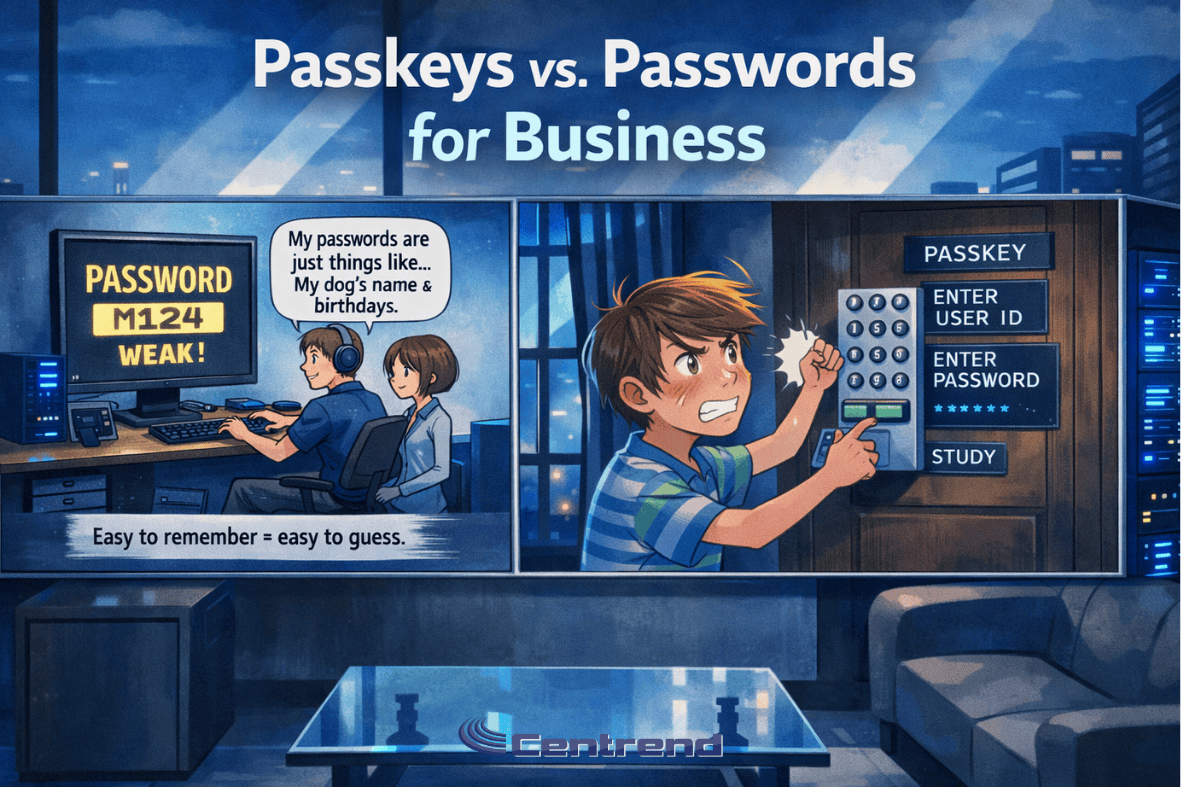
Passkeys vs Passcodes blog image showing an anime-style modern IT office with two panels comparing weak passwords and stronger passkey-based login security.

Passkeys vs Passwords for Business

Passkeys vs Passcodes Passwords have protected business accounts for decades, but today they are also one of the easiest ways for attackers to break in. What once worked is now one of the biggest security risks companies face. Why it matters Most cyberattacks start with compromised credentials. One stolen password can give an attacker access to email, financial tools, cloud platforms, and customer data. This is no longer just an IT issue. It is a direct business risk. The 3 Password Problems Businesses Still Face Password Reuse Spreads RiskMany employees reuse passwords across multiple tools. When one account gets exposed, attackers try that same login across the business. Phishing Still WinsA strong password cannot stop a fake login page. If an employee enters credentials into the wrong site, attackers can gain access in minutes. Password Management Slows Teams DownResets, lockouts, and forgotten logins waste time and frustrate employees. Security should protect the business, not slow it down. 🔍 Dig Deeper: Why Businesses Are Moving to Passkeys Passwords put too much pressure on people. Passkeys remove that burden and give businesses a stronger way to protect accounts. 1. Passwords Can Be Stolen Attackers guess, reuse, and phish passwords every day. Passkeys block those common attacks because users do not type them into websites. 2. Passkeys Make Login Easier Employees do not need to remember long, complex passwords. They can sign in with a fingerprint, face scan, or device unlock. 3. Passkeys Cut Phishing Risk Fake login pages trick people into giving away passwords. Passkeys stop that attack because they only work with the correct site or app. Stop Depending on Weak Login Habits Passwords alone no longer give businesses enough protection. If you want stronger security, fewer login problems, and better protection against phishing, passkeys offer a smarter path forward. Your team should spend less time managing passwords and more time running the business. Protect access. Reduce risk. Move forward with confidence. [Request a Security Review][Schedule a Consultation]

Passkeys vs Passwords for Business Read More »

How Hackers Choose Their Targets: A Day in the Life of a Hacker

Cyberattacks don’t always start with brute force they begin with quiet observation. If you’ve ever wondered how hackers choose their targets, it’s not about high-tech tools or dramatic scenes from a movie. It’s about identifying soft entry points your business may not even realize exist and exploiting them before you ever know they’re there. Morning Recon: How Hackers Identify Vulnerable Systems I start my day like anyone else Coffee in hand, screen glowing. But instead of checking emails for meetings, I scan the digital streets for Vulnerabilities. I’m not hunting for high-profile names. I’m hunting for weak spots: Why try to crack a safe when someone leaves the front door wide open? Midday Tactics: How Hackers Exploit Human Behavior Once I find a likely target, I don’t attack the firewall I attack the person. People are the easiest way in. I send a spoofed invoice, a password reset email, or an urgent message from “the CEO.” It looks normal. Feels familiar. It only takes: And just like that I’m in. Afternoon Priorities: How Hackers Pick the Most Profitable Victims Not all targets are worth it. I want leverage. So, I look for industries where downtime equals disaster: That’s how I choose who to attack not based on size, but on vulnerability and value. Evening Payout: How Hackers Execute and Disappear By evening, I’m already deep inside a system. Sometimes I stay quiet, collecting logins, downloading data.Other times, I lock the entire network and leave a message:“Pay me, or lose it all.” Then I vanish. Tomorrow, I’ll wake up and do it again. What This Means for Your Business This “day in the life” isn’t fiction.This is exactly how hackers choose their targets every day. They look for: The good news? You don’t have to make it easy. At Centrend, We Close the Easy Doors At Centrend, we specialize in stopping threats before they start. Here’s how we protect you: We don’t chase fire drills. We prevent them. Don’t Let a Hacker Choose You. Secure Your Business with Centrend. 📞Book your FREE CyberDefense Risk Assessment today 🌐Visit us on centrend.com No pressure. No jargon. Just a clear look at where your vulnerabilities are and how to fix them before a hacker finds them.

How Hackers Choose Their Targets: A Day in the Life of a Hacker Read More »

Scroll to Top