Centrend

IT Tech Tips

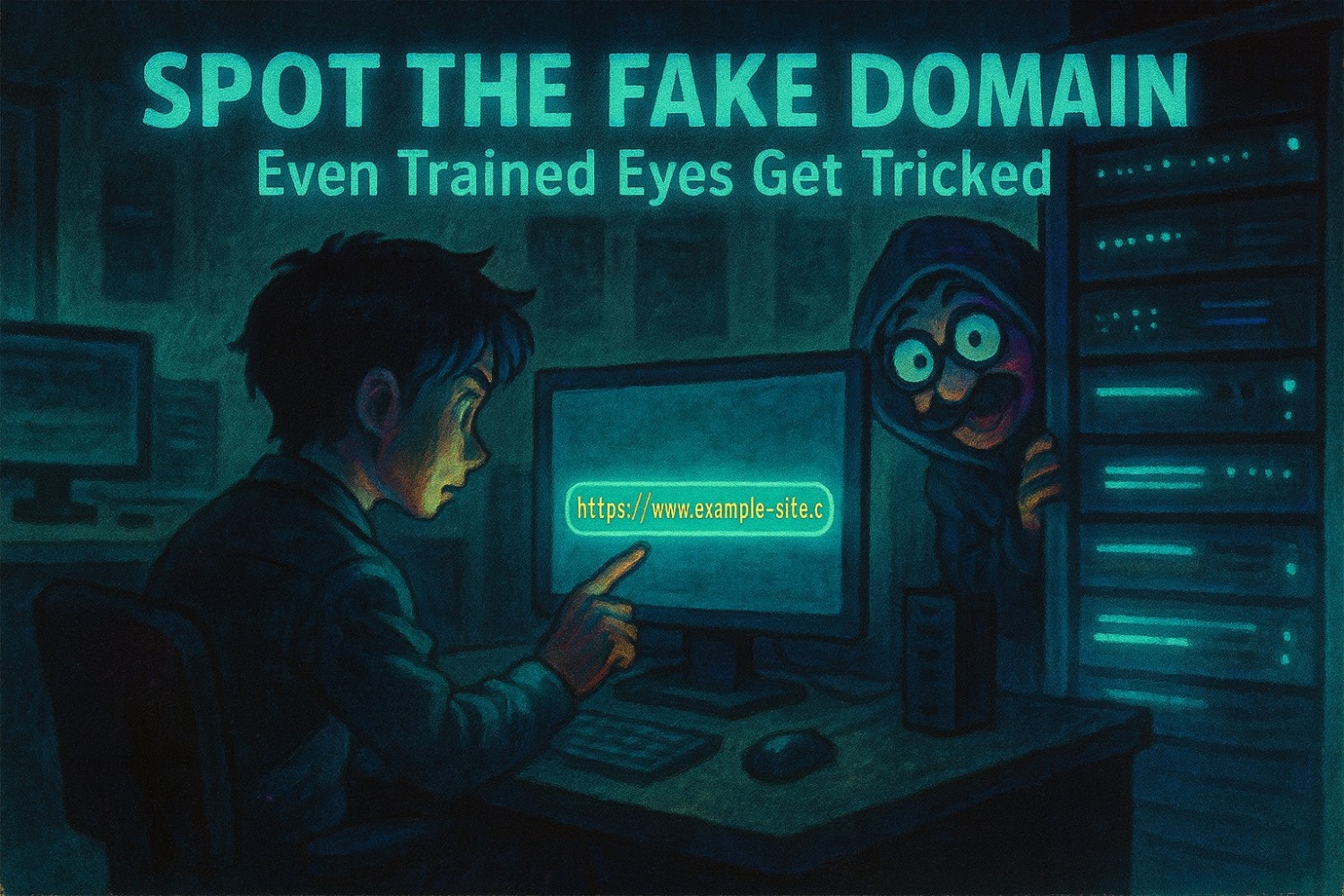
Spot the Fake Domain That Outsmarts Even the Trained Eye

Spot the Fake Domain Before it’s too late.One quick skim.One login screen.One domain that almost looked right. That’s all it takes for credentials to be handed over without anyone realizing until it’s too late. Even experienced users fall for fake domains.Why? Because they’re designed to win at speed to blend in, feel familiar, and never trigger a second glance. Cybercriminals aren’t just sending spam anymore.They’re crafting nearly flawless copies of your trusted tools, brands, and URLs. And the smartest person in the room?They’re often the first to click. Spot the Fake Domain that Tricks Smart Users These aren’t obvious scams.They’re visual replicas built to trick muscle memory, not just judgment. Here’s how they get past your filters and your instincts: No malware. No red flags. Just one wrong domain in a sea of legit ones. Spot the Fake Domain that Even Smart Users Miss It It’s not carelessness. It’s design. People are wired to move quickly especially in digital spaces they trust.And when attackers lean on that trust, they don’t need to exploit a system…They just need a moment. That’s why even trained professionals fall for lookalike domains.Because training builds knowledge.But real protection requires instinct. Spot the Fake Domain to Build URL Awareness as a Habit Spotting fake domains isn’t about memorizing a checklist.It’s about creating a culture where people slow down just enough to catch what software can’t. Here’s how to start building that awareness: 1. Run Internal “URL Spot Checks” Drop two similar links into a team chat or training slide.One legit. One fake.Ask: Which one is safe? It’s fast. It’s visual. And it builds pattern recognition without pressure. 2. Highlight Real Phishing Domain Tricks Don’t train with overly fake examples.Use real red flags from recent campaigns: Let your team see what real attackers actually do. 3. Make Reporting Safe and Simple Sometimes someone spots a sketchy link but hesitates to report it.Fix that. Make “I think this looks weird” a welcome phrase not a moment of embarrassment.A shared Slack channel. A pinned email. A visual checklist.Whatever makes reporting fast and judgement-free. Cybersecurity That Starts Before the Click The best phishing emails don’t scream “I’m a scam.”They whisper, “You’ve seen me before.” And unless your people are trained to stop and lookThe message gets through. So does the damage. But if they pause long enough to catch the subtle switch?That one second becomes your strongest defense. Final Takeaway Technology stops a lot.But fake domains are built to outsmart habits not just firewalls. If you want your team to really spot what matters,you need more than policies.You need training that teaches people to see what tools don’t. Want to help your team build that instinct?Let’s talk. We’ll walk you through simple ways to reduce risk without adding more noise.[Book a time that works for you]

Spot the Fake Domain That Outsmarts Even the Trained Eye Read More »

An office employee hesitating before interacting with a suspicious email, symbolizing how phishing exploits human behavior and the psychology behind the click.

Psychology Behind The Click: Why Smart People Fall for Phishing

Psychology Behind The ClickOne email.One moment of distraction.One perfectly timed message. That’s all it takes for a phishing attack to land. And often, it’s not the careless who fall for it, it’s the high performers, the fast decision makers, the trusted leaders. Phishing isn’t a technical problem alone.It’s a psychological strategy, designed to target how humans think, respond, and move through a busy day. Psychology Behind the Click Reveals Why Even Smart People Fall for It These messages aren’t obvious. They’re engineered to blend in.Attackers use social cues, visual familiarity, and emotional timing to get through even the best defenses. Here’s why they work: The issue isn’t intelligence. It’s the psychology behind the click.It’s that the brain is wired to react first, then process. Psychology Behind the Click Shows How Phishing Outsmarts Instincts You can roll out every best practice: But that one message disguised just well enough can still get through. When someone clicks, it’s not failure.It’s proof the message was designed to work. So What Does Work? To counter phishing tactics, your cybersecurity strategy must build mental habits, not just technical protocols. Here’s how to shift from reaction to resilience: 1. Teach a Habit of “Pause and Review” Encourage every employee to take a beat especially when something feels just slightly off. 2. Use Realistic Training Examples Show real screenshots, red flag patterns, and messages based on your actual internal style.Not sanitized mock-ups actual lookalikes. 3. Make Reporting Easy and Encouraged No fear. No shame.Every “this looks weird” report helps improve team awareness.Celebrate submissions even false alarms. This Is a Culture Shift Not a Checklist Cybersecurity isn’t just about firewalls and passwords.It’s about how your people think, respond, and communicate especially under pressure. The phishing landscape evolves fast.But the right habits evolve with it. Final Takeaway  Smart people don’t fall for phishing because they’re careless they fall because attackers understand psychology. The best defense? A team that doesn’t just know better, but acts on it. If you’re looking to strengthen your human firewall, let’s connect.We’re happy to walk you through practical ways to reduce everyday risk. Schedule a quick, no pressure call to get started:Book a time that works for you

Psychology Behind The Click: Why Smart People Fall for Phishing Read More »

Illustration of employees standing in front of a digital firewall, symbolizing a strong human firewall during Cybersecurity Awareness Month, with a focus on team awareness, phishing prevention, and workplace cybersecurity culture.

Cybersecurity Awareness Month Human Firewall

Cybersecurity Awareness Month Human Firewall. Even the best security tools can’t stop a well-crafted phishing email if someone clicks. And that’s exactly what attackers count on human error.One typo.One fake invoice.One fast click. That’s all it takes for ransomware to spread, data to leak, or your operations to grind to a halt. Even the best security tools can’t stop a well-crafted phishing email if someone clicks. And that’s exactly what attackers count on human error. Cybersecurity Awareness Month Human Firewall: Your People Are the Front Line You’ve enforced multi-factor authentication. Your devices auto-update. The firewall is solid. But what about the human side of your defense? Cybersecurity is no longer just a tech issue it’s a people issue. Cybersecurity Awareness Month Human Firewall: Build Cyber Habits, Not Just Awareness This Cybersecurity Awareness Month, go beyond check-the-box training. Build a culture where every team member becomes a line of defense. Here’s how to reinforce your human firewall one habit at a time: 1. Teach Real-World Threat Spotting Show actual phishing emails (with red flags highlighted).Use your chat app or intranet to run “Spot the phish” challenges.Turn passive learning into active recognition. 2. Normalize “Pause and Verify” Fast clicks lead to big breaches. Slow things down.Make thoughtful, double-check behavior the team standard.Celebrate moments when people don’t click and verify first. 3. Eliminate Shame in Reporting Encourage all reports even if they turn out to be nothing.Track and share your team’s “phishing stopped” stats.Make cyber wins part of team wins not just IT’s problem. This Week’s 20-Minute Fixes You don’t need a long training module to make progress today. Start small: Cyber Starts with Culture You can’t patch people. But you can build better instincts. When your team knows how to spot a scam, report a suspicious email, and stay alert, they become your strongest defense. Because in 2025, the biggest risk isn’t outdated software it’s a distracted click. And your best cybersecurity investment? A team that knows better.You’ve got the tools now it’s time to align your team. Let’s build the culture behind your firewall.Book a Quick Call and we’ll show you how.

Cybersecurity Awareness Month Human Firewall Read More »

Digital illustration of a cybersecurity team inside a modern IT office, securing devices and data with locks and shields, promoting Cybersecurity Awareness Month: Startup Your Core 4.

Cybersecurity Awareness Month: Power Up Your Core 4

Cybersecurity Awareness Month is comingOne weak login can stop your day.A fast phish can drain time and trust.Power up your Core 4 today so your team keeps moving. 1) Turn on MFA where it matters most Start with email, Microsoft 365 or Google Workspace, payroll, banking, and VPN or remote access.Use an authenticator app when you can. Passkeys are even better when available.How to do it fast: open Security settings and enable two-step or MFA. Power Moves 2) Make passwords stronger and easier Use long passphrases. Make each one unique.Store them in a password manager so your team does not reuse logins.This is a Core 4 habit you can set up in minutes. Power Moves 3) Spot a phish in 60 seconds Slow down when something feels off.Check the sender. Hover links. Be careful with attachments.Report it to IT or your manager and use a known contact to verify.  Power Moves 4) Update your software Updates close known holes. Turn on automatic updates for your OS and browser.Run updates for key apps and security tools today. Power Moves Do this today in 20 minutes Why now Cybersecurity Awareness Month starts in October. It highlights these Core 4 steps for everyone, from families to small teams. Doing them early sets a strong tone for the month. Need a hand? Centrend can map your top five accounts, set MFA, clean up passwords, and share a one page phish check. 📞Book your Cybersecurity Awareness Month Power Up. We’ll start up your Core 4! in one simple session.

Cybersecurity Awareness Month: Power Up Your Core 4 Read More »

IT Habits That Put Your Business at Risk

“And no, it’s not just about antivirus software, it’s the everyday IT habits that put your business at risk.” You’ve invested in cybersecurity tools, policies, and training, but breaches still happen. Why? It’s often the small IT habits that put your business at risk. Because attackers don’t always need sophisticated tactics.They exploit simple habits.An unlocked laptop A reused passwordOne careless click These small, everyday actions often create the biggest risks, and they’re exactly what cybercriminals look for. In this post, we’ll cover 5 Essential IT Habits that quietly shape your security posture, and how fixing them can close the gaps most tools miss 1. Lock Your Devices Always Why it Matters: One unlocked screen can expose sensitive files, emails, or client data in seconds. Whether you’re at your desk or in a coffee shop, leaving your system open is like leaving your front door wide open. Pro Tip: Set auto-lock timers to activate after 5 to 10 minutes of inactivity. It’s simple, invisible, and crucial. 2. Reused Passwords, Cybersecurity Habit That Puts Your Business at Risk Why it Matters: Hackers love when people reuse passwords. Once they crack one account, they’ll try it everywhere. That one shared password could lead to email hijacks, data theft, or full system lockout. Fix it Fast: Start using password managers like BitWarden, 1Password, or LastPass. And always enable Multi-Factor Authentication (MFA) it’s your second layer of defense. 3. Skipping Software Updates Can Put Your Business at Risk Why it Matters: Every “Remind me Later” click is a missed patch for an existing vulnerability. Outdated software is one of the easiest ways hackers break in. Make it Routine: Set a weekly calendar reminder. Fridays are perfect to update all devices and apps before the weekend. 4. Don’t Click That Link Train Your Team to Spot Phishing Why it Matters: Phishing emails are still the #1 gateway to ransomware and data breaches. It only takes one careless click to infect your entire network. What Works: Use phishing simulation tools like BullPhish (we recommend it at Centrend) to run internal tests and strengthen your team’s instincts. 5. No Backup, No Recovery Why it Matters: When ransomware hits or a device fails, your backups are the only thing standing between you and total data loss. Best Practice: Set up automated backups, store copies in multiple secure locations (cloud and offsite), and test them monthly to make sure they work. What These Habits Really Mean for Your Business Cybersecurity isn’t just about advanced tools  it’s about daily discipline. These habits don’t take much time, but they can mean the difference between a normal Monday and a total Business Shutdown. Get Ahead of IT Threats. Before They Get Ahead of You Don’t wait for a Wake-up Call.Book Your FREE Cybersecurity Risk AssessmentNo pressure. No jargon. Just clarity on where your risks are hiding and how to close the gaps before attackers find them.

IT Habits That Put Your Business at Risk Read More »

5 Manufacturing Technology Trends Reshaping New England’s Industrial Landscape in 2025

New England’s manufacturing sector has always been at the forefront of innovation, from the textile mills of the Industrial Revolution to today’s high-tech precision manufacturing. As we progress through 2025, five key technology trends are transforming how manufacturers in our region operate, compete, and thrive. AI-Powered Predictive Maintenance Artificial intelligence is revolutionizing equipment maintenance in manufacturing facilities across Massachusetts, Connecticut, and Rhode Island. Instead of following rigid maintenance schedules or waiting for equipment to fail, AI systems analyze sensor data to predict exactly when maintenance is needed. Local manufacturers implementing AI-driven maintenance report: Edge Computing for Real-Time Decision Making Edge computing brings data processing closer to where it’s generated – right on the factory floor. This technology is particularly valuable for New England manufacturers who need real-time insights without relying on cloud connectivity that might be affected by weather or network issues. Benefits include: Digital Twin Technology Digital twins – virtual replicas of physical manufacturing processes – are enabling unprecedented optimization opportunities. These digital models allow manufacturers to test changes, predict outcomes, and optimize operations without disrupting actual production. New England manufacturers using digital twin technology report: Advanced Cybersecurity for Industrial Systems As manufacturing becomes increasingly connected, cybersecurity has evolved from an IT concern to a production imperative. The convergence of operational technology (OT) and information technology (IT) creates new vulnerabilities that require specialized protection. Modern manufacturing cybersecurity includes: Sustainable Manufacturing Through Smart Technology Environmental responsibility and operational efficiency are converging through smart manufacturing technologies. New England manufacturers are leveraging technology to reduce waste, optimize energy consumption, and meet increasingly stringent environmental regulations. Key technologies driving sustainability include: The Competitive Advantage of Early Adoption Manufacturers who embrace these technologies early gain significant competitiveadvantages: 📞 Ready to Embrace the Future of Manufacturing? Don’t let your business fall behind in the rapidly evolving industrial landscape. Whether you’re just starting your digital transformation or looking to optimize existing systems, we’re here to help. Contact us today to learn how your New England manufacturing operation can lead the way in smart, sustainable innovation.

5 Manufacturing Technology Trends Reshaping New England’s Industrial Landscape in 2025 Read More »

National Clean Out Your Computer Day: Declutter Your Computer To Boost Productivity And Security

It’s time to declutter your digital life! National Clean Out Your Computer Day, celebrated on the second Monday of February, is the perfect reminder to give your computer the attention it deserves. Just like a cluttered desk can slow you down, a cluttered computer can impact productivity – and even put your data at risk. Here’s why it’s important to clean up your computer, along with simple steps to get it done. Why Keeping Your Computer Clean Matters Boost Productivity A cluttered computer can slow down your workflow. Too many files, outdated software or unnecessary programs running in the background can make even the fastest machines crawl. By organizing your digital space, you’ll speed up performance and spend less time searching for what you need. Enhance Security Unused files, apps and outdated software can create vulnerabilities that cybercriminals love to exploit. Keeping your computer clean reduces risks by eliminating potential weak points in your system. It also helps you stay compliant with data protection standards if your business handles sensitive information. How To Clean Out Your Computer 1. Delete Unnecessary Files 2. Organize Your Files 3. Uninstall Unused Programs 4. Update Your Software 5. Scan For Malware 6. Clear Browser Cache And Cookies 7. Back Up Important Data Pro Tip: Don’t Wait For ONE Day A Year – Make It A Habit! Cleaning your computer isn’t a one-and-done task. Schedule regular maintenance – quarterly or monthly – to keep your systems running smoothly and securely. This will make it less overwhelming to complete than saving it to do once a year. Ready For A Complete System Cleanup? Keeping your computer clean is an excellent first step, but is your entire network optimized for productivity and security? Let us help you take it further with a FREE Network Assessment. Our experts will evaluate your system for vulnerabilities, inefficiencies and opportunities to improve performance. Click here to schedule your FREE Network Assessment today! Don’t let clutter and vulnerabilities hold you back – take control of your tech and make this National Clean Out Your Computer Day count!

National Clean Out Your Computer Day: Declutter Your Computer To Boost Productivity And Security Read More »

6 Ways Your Phone Is Tracking You

Have you ever casually talked about a product or service while your phone was nearby and then suddenly started seeing ads for it on your social media feed? Your phone is listening. If that concerns you, this should really worry you: your devices are tracking you too! From the phone itself to the apps you download and access, there are multiple ways that your device can ping your location. Luckily, there are ways around allowing your phone to spy on you. In today’s article we’ll share why it’s so dangerous, the top six ways your phone is tracking you and how you can shut it down.  Why Is It Dangerous?  This data is a hot commodity for Internet marketers. The collected data is used to target you with the local and interest-based ads you’re most likely to be interested in. This digital “stalking” is legal as long as they give you the option to opt in or out. However, marketing execs aren’t the only ones interested in your data. Cybercriminals are too. Here are the reasons allowing your phone to track you is a no-go: 1. Privacy Invasion: Phone tracking allows apps, websites and third parties to collect extensive information about your location, habits and behaviors without your full knowledge. This constant surveillance can lead to a significant invasion of privacy, making users vulnerable to targeted advertising, data harvesting or even malicious tracking for more harmful purposes. 2. Identity Theft And Fraud: If your phone’s tracking data falls into the wrong hands – such as hackers or cybercriminals – it can be used to gather personal details and patterns. This data can enable identity theft, financial fraud or unauthorized access to sensitive accounts, causing financial and emotional harm. 3. Physical Security Risks: By sharing your real-time location data, phone tracking can expose you to physical security threats. For example, stalkers or criminals can exploit this information to track your whereabouts, compromising your safety. Publicizing your movements can also make it easier for bad actors to predict your routines or target you when you’re most vulnerable. How Your Phone Is Tracking You  1. Location Services: Your phone’s GPS and location services track your whereabouts in real time, recording where you are and how long you stay there. Using “Frequent Locations,” your phone makes assumptions about where you work and live based on when you visit and how long you stay. While this is helpful for finding directions or nearby restaurants, constant tracking can also reveal your movement patterns, leaving you vulnerable to privacy invasion. Both Apple and Android give you the option to turn this feature off. Exact instructions will vary by specific model and operating system; however, here are basic instructions: How to turn it off: 2. App Permissions: Many apps request access to your contacts, photos, microphone and camera, allowing them to track your activity, even when you’re not actively using the app, and collect more information than necessary. You can adjust this and should review it regularly to make sure you aren’t compromising your privacy. How to turn it off: 3. Wi-Fi And Bluetooth Connections: Your phone constantly scans for Wi-Fi and Bluetooth connections, allowing third parties to track your location based on the networks and devices you’ve interacted with. How to turn it off: 4. Browsing Activity: Web browsers and apps monitor your search history and the websites you visit. This data is used to build profiles about your preferences, feeding you targeted ads and potentially selling your behavior patterns to third parties. How to turn it off: 5. Ad Tracking: Your phone assigns you a unique advertising ID that companies use to track your behavior across apps and websites. This ID follows your activity, providing advertisers with insight into your interests to serve personalized ads. How to turn it off: 6. Social Media And Search Engines: Platforms like Facebook, Instagram and Google track your online interactions, searches and location to create detailed profiles of your habits and interests. They use this data for advertising and content recommendations, which can feel invasive. How to turn it off: By adjusting these settings, you can significantly reduce the amount of personal information your phone tracks, giving you more control over your privacy. Why This Matters For Business Owners:  For a business owner, protecting your personal privacy is just as crucial as securing your company’s sensitive information. The same tracking methods that follow your every move can also expose your business to risks. Hackers, cybercriminals and even competitors can exploit these vulnerabilities to gather valuable data about your business activities, customer interactions and confidential communications. By taking steps to limit how your phone tracks you and adjusting your privacy settings, you’re not just protecting yourself – you’re also safeguarding your business from potential data breaches, identity theft and targeted cyber-attacks. In today’s world, cybersecurity isn’t just a technical issue, it’s a strategic one, and staying ahead of threats starts with being informed and proactive. If you’re concerned about your business’s overall security, don’t wait for a problem to occur. Schedule a FREE Security Risk Assessment with our team today, and let’s ensure your entire network is protected from top to bottom. Our experts will identify vulnerabilities and recommend tailored solutions to keep your business safe. Click here or call us at 774-241-8600 to get started.

6 Ways Your Phone Is Tracking You Read More »

5 Signs It’s Time To Update Your Software (And How To Do It Safely)

Software updates can feel like a nuisance, but skipping them is one of the easiest ways to leave your systems vulnerable to cyber-attacks. Hackers are constantly looking for weaknesses, and outdated software is like an open door to your network. But how do you know when it’s time to update, and should you always trust your computer to tell you? Here are five clear signs it’s time to update, plus tips on how to handle updates safely. 1. Your Software Is No Longer SupportedIf the software provider has stopped releasing updates for your current version, it’s a major red flag. Unsupported software often has known vulnerabilities that cybercriminals can easily exploit. Check for announcements from your software providers about end-of-life support and upgrade as soon as possible. Tip: Don’t wait for the software to “break” before updating. Plan ahead and migrate to newer versions while you still have full support. 2. You Notice Slower PerformanceA sudden slowdown in your software’s performance can be a sign that it’s out-of-date. Newer versions of software are optimized to run more efficiently, and skipping updates might leave you with buggy, sluggish software. Tip: If you notice performance drops, check the settings for pending updates or visit the provider’s website to manually download the latest version. 3. You Receive Security AlertsHas your antivirus or security software flagged vulnerabilities in an application you use? If so, an update is likely overdue. Cybercriminals thrive on exploiting security gaps in outdated software. Always pay attention to security alerts and take them seriously. Tip: Use a trusted antivirus tool that can integrate with your software and alert you when updates are needed. Make sure you verify the authenticity of any update alerts before clicking. 4. You Haven’t Updated In Over 6 MonthsIf it’s been more than six months since your last software update, you’re probably due for one. Many providers release updates on a regular schedule to patch vulnerabilities and enhance features. Tip: Set a reminder to check for updates regularly, rather than waiting for the computer to alert you. This is especially important for critical software, like operating systems and antivirus programs. 5. New Features Have Been AnnouncedSometimes updates come with more than just security patches – they also bring new features. If you hear about exciting new functionality that you don’t have, it’s a sign you’re behind on updates. Tip: Keep an eye on announcements from your software providers. Follow their blogs or sign up for notifications so you’re always aware of improvements. How To Update Safely While updating software is crucial, you should always be cautious about how you do it. Here’s how to ensure your updates are safe: – Verify The Source: Always download updates directly from the provider’s official website or trusted app store. Avoid third-party sites or suspicious links. – Back Up Your Data: Before any major update, back up important data to an external location. This ensures that if something goes wrong, you won’t lose critical files. – Restart Your Device: Once the update is complete, restart your computer to ensure that the new features and patches are properly installed. By staying on top of software updates, you’re not only improving performance but also protecting your systems from potential threats. Don’t wait until it’s too late – keep your software up-to-date and ensure your network stays secure. Need help managing your software updates? Call us at 774-241-8600 or click here to schedule a consultation.

5 Signs It’s Time To Update Your Software (And How To Do It Safely) Read More »

Scroll to Top